Designing a complete data analytics SaaS from the ground up
Project
Concept SaaS
Role
Product Designer
This is a concept project for a SaaS product that hasn't launched yet. To respect the creator's intellectual property, all sensitive data, branding, and product details have been anonymized.
The screens shown here focus on the design thinking and structural decisions rather than the specific use case.
Scope of Work
The vision
The product is a data analytics platform built for large organizations. The challenge was to create a tool powerful enough for advanced users who need detailed performance metrics, while remaining accessible to users with little experience reading complex dashboards.
The design philosophy was simple: make the tool the most efficient possible answer to the market's needs first, then differentiate visually later. This meant relying on proven SaaS patterns and best practices rather than reinventing interaction models that could get in the way of clarity.
A guided onboarding
The first priority was an onboarding flow that guides users step by step, with minimal friction. Each screen asks for one or two pieces of information at most, keeping the cognitive load low and the visual experience clean. The goal was to make new users feel comfortable from the very first interaction, regardless of their technical background.
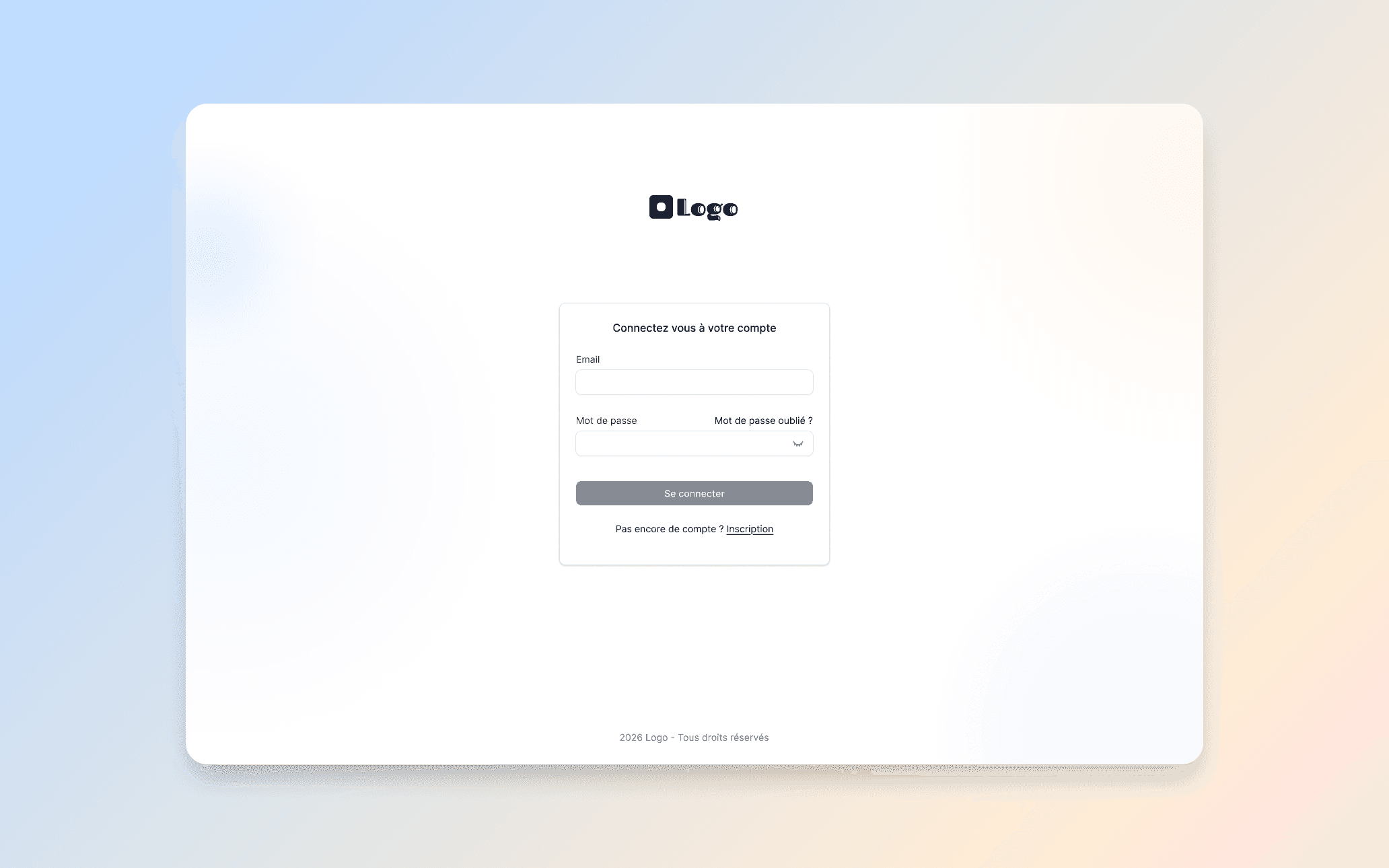
The login screen: minimal, focused, and welcoming. A single point of entry with no distractions.
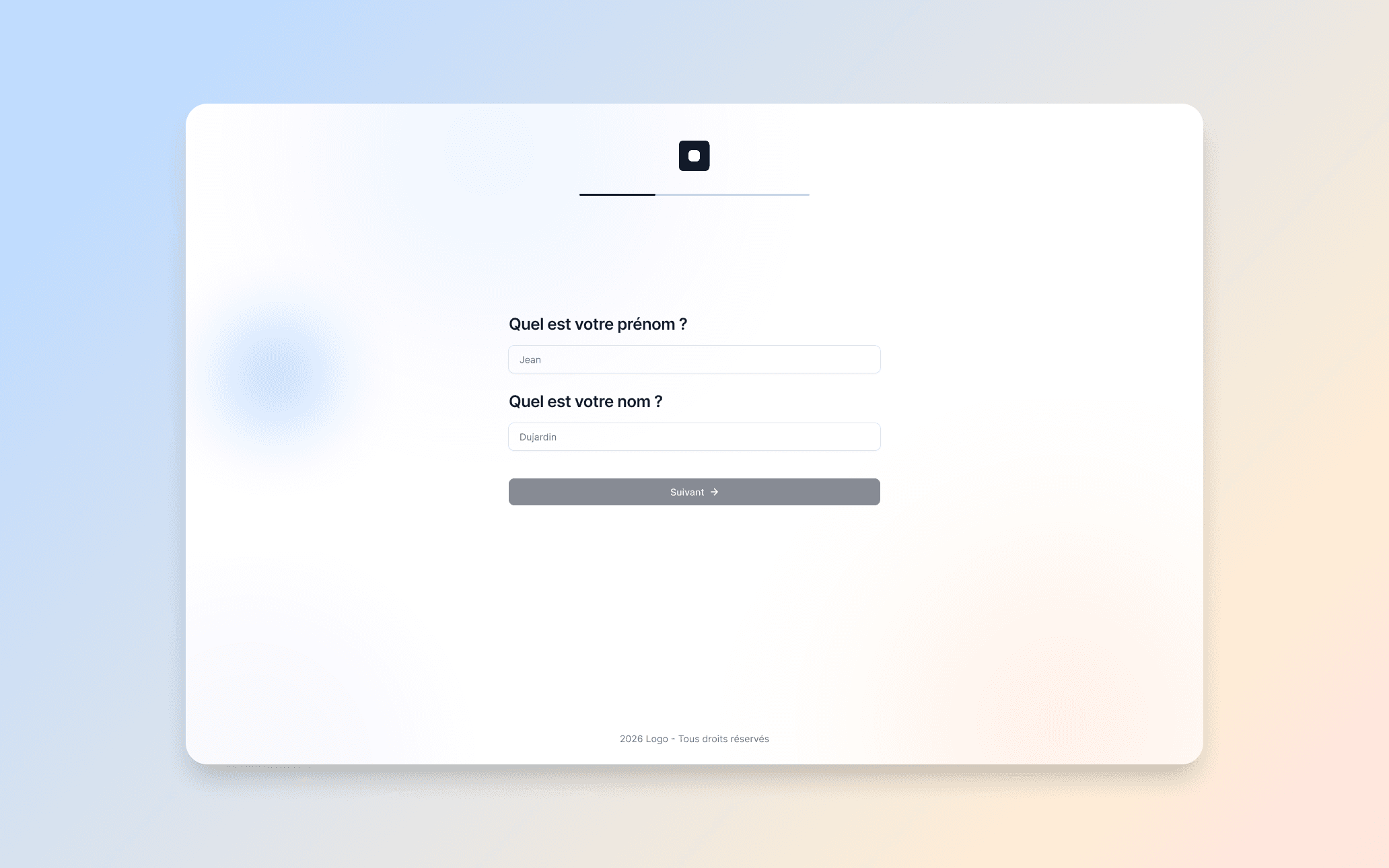
Step 1 of the onboarding: just a name and first name. One question at a time keeps the experience light.
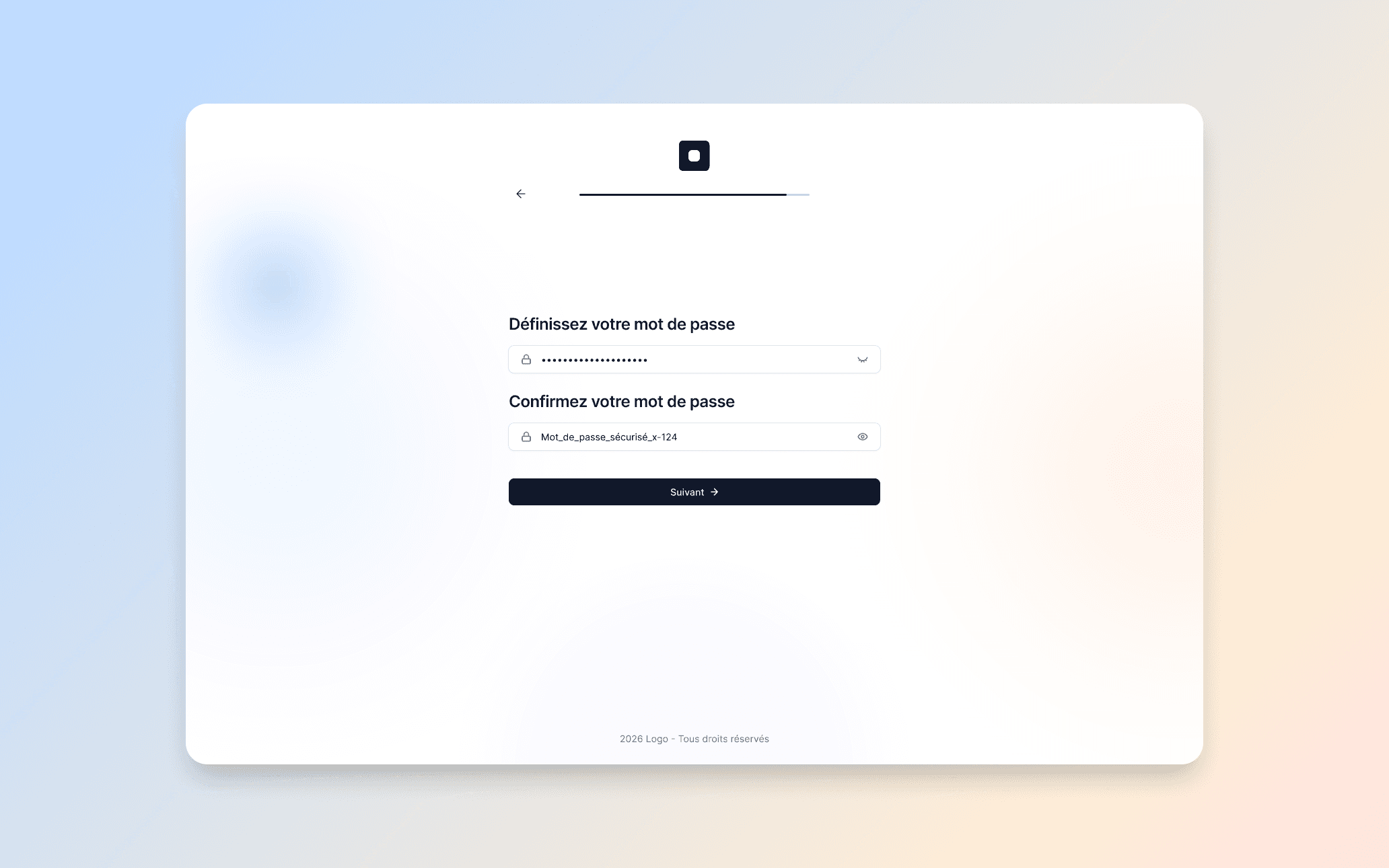
Step 2: setting a password with confirmation. Simple, secure, and never overwhelming.
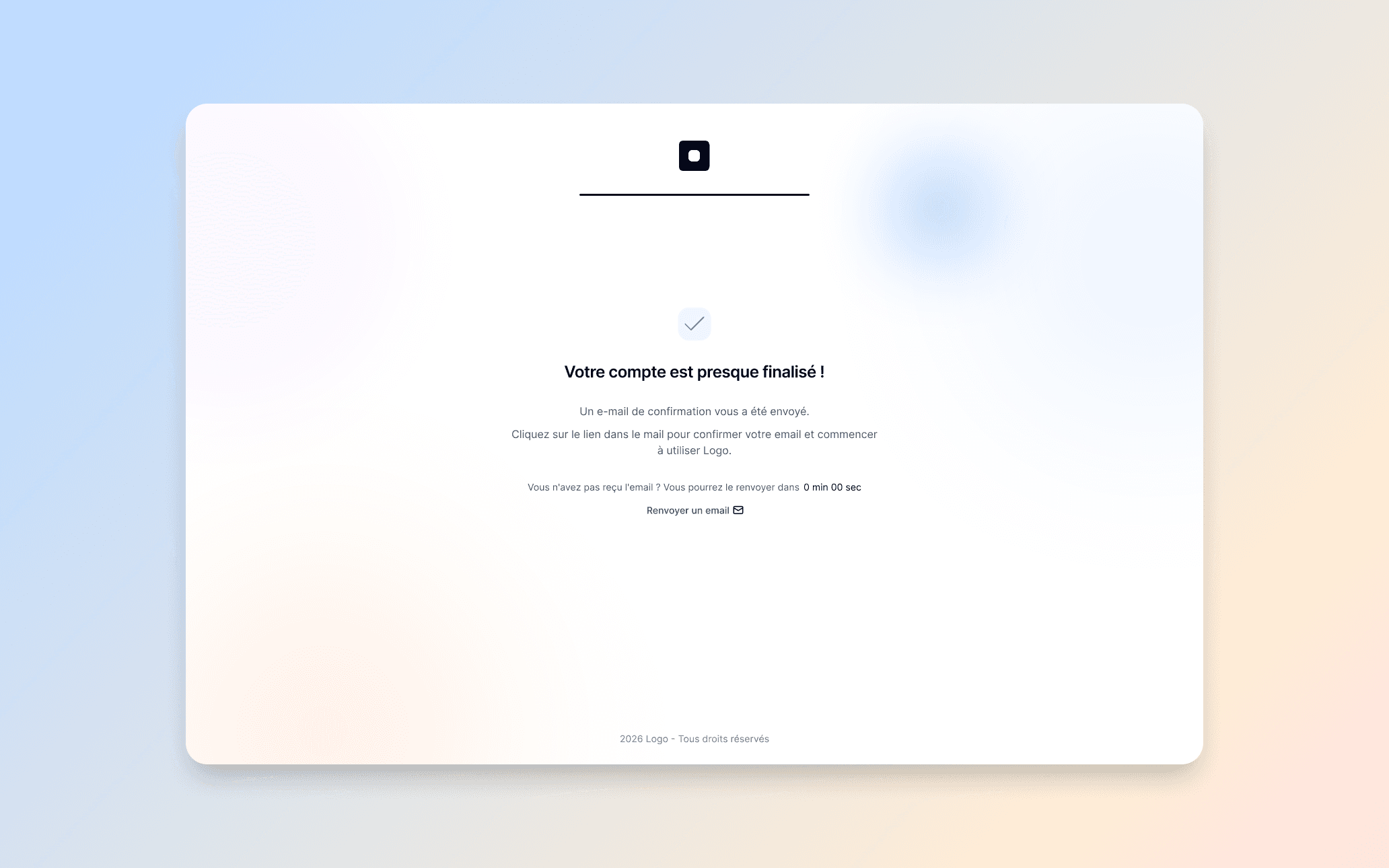
Account confirmation screen with email verification and resend countdown. No dead ends.
The main interface
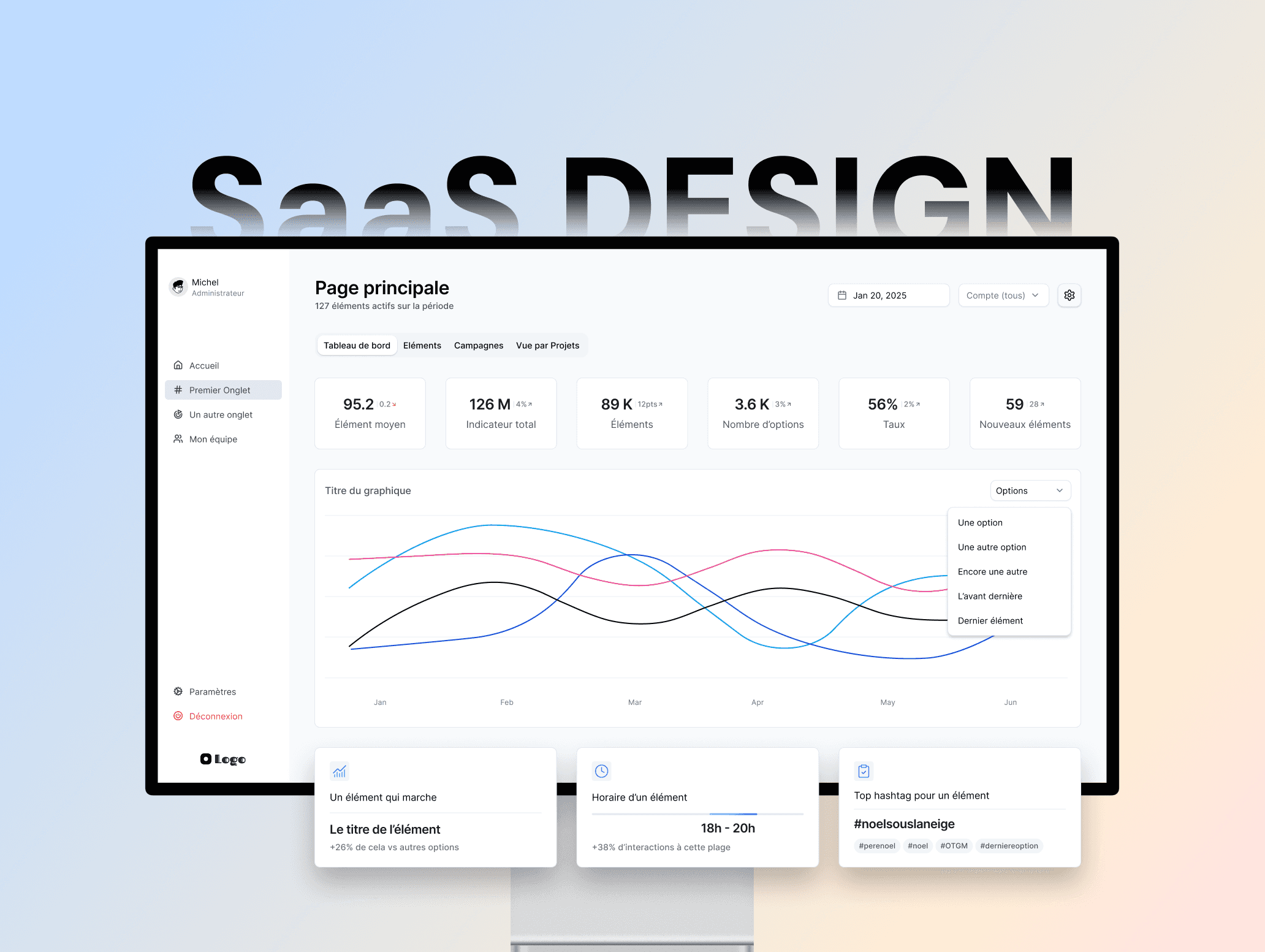
The core experience is built around a clean, structured dashboard. Key metrics sit at the top for instant overview, while the main visualization area gives users a clear view of trends and performance. Navigation is kept on the left to stay familiar, and contextual filters at the top let users adjust the data view without losing their place.
Every element was designed to be readable at a glance for casual users, while still offering the depth that power users expect when they want to dig deeper.
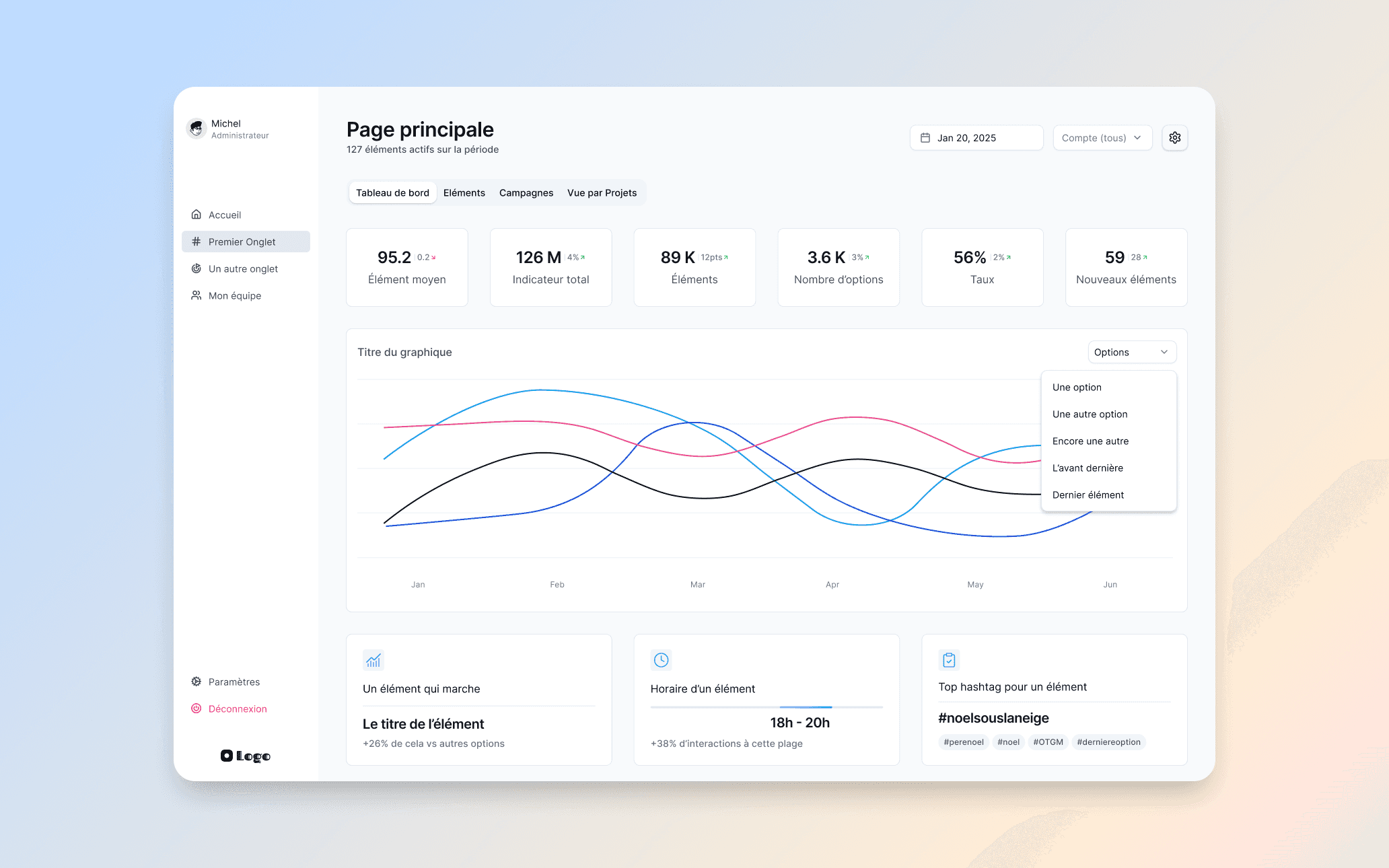
The main dashboard: KPI cards, trend visualization, and contextual insights. Built to be readable at a glance.
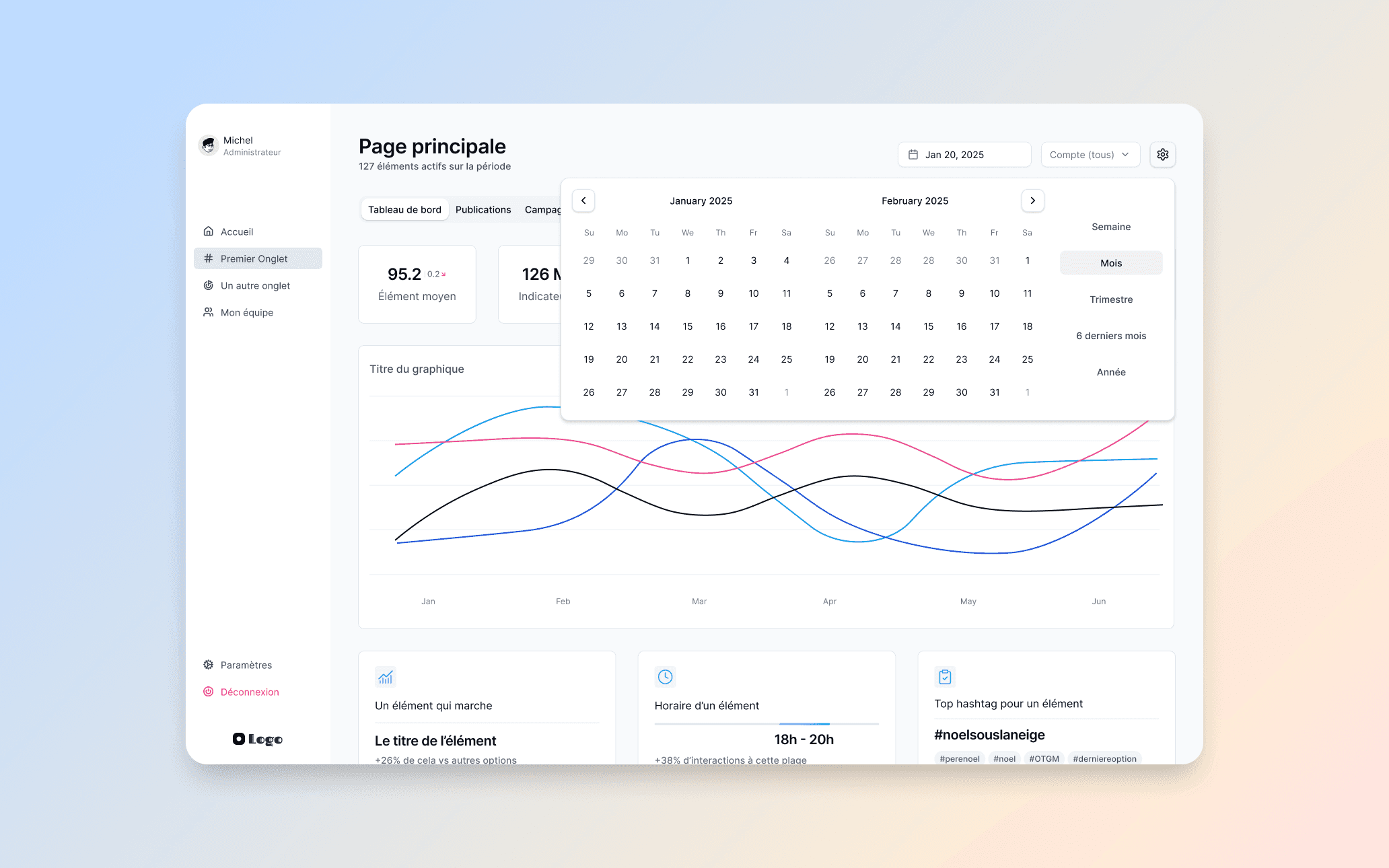
Date range picker with quick presets. Users can switch between weekly, monthly, quarterly, or yearly views in one click.
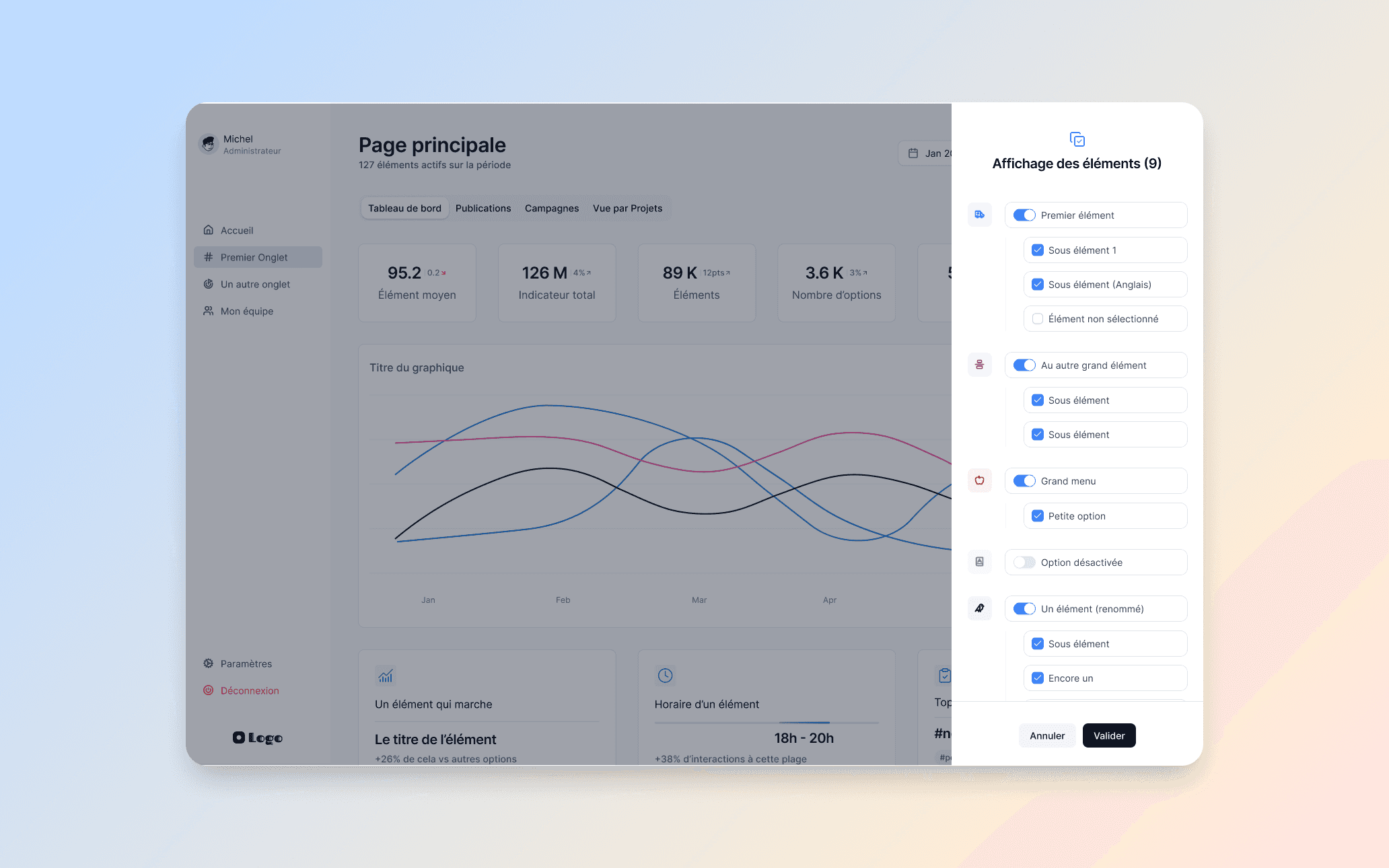
Element display panel: a granular control system that lets users choose exactly which data points to show on their dashboard.
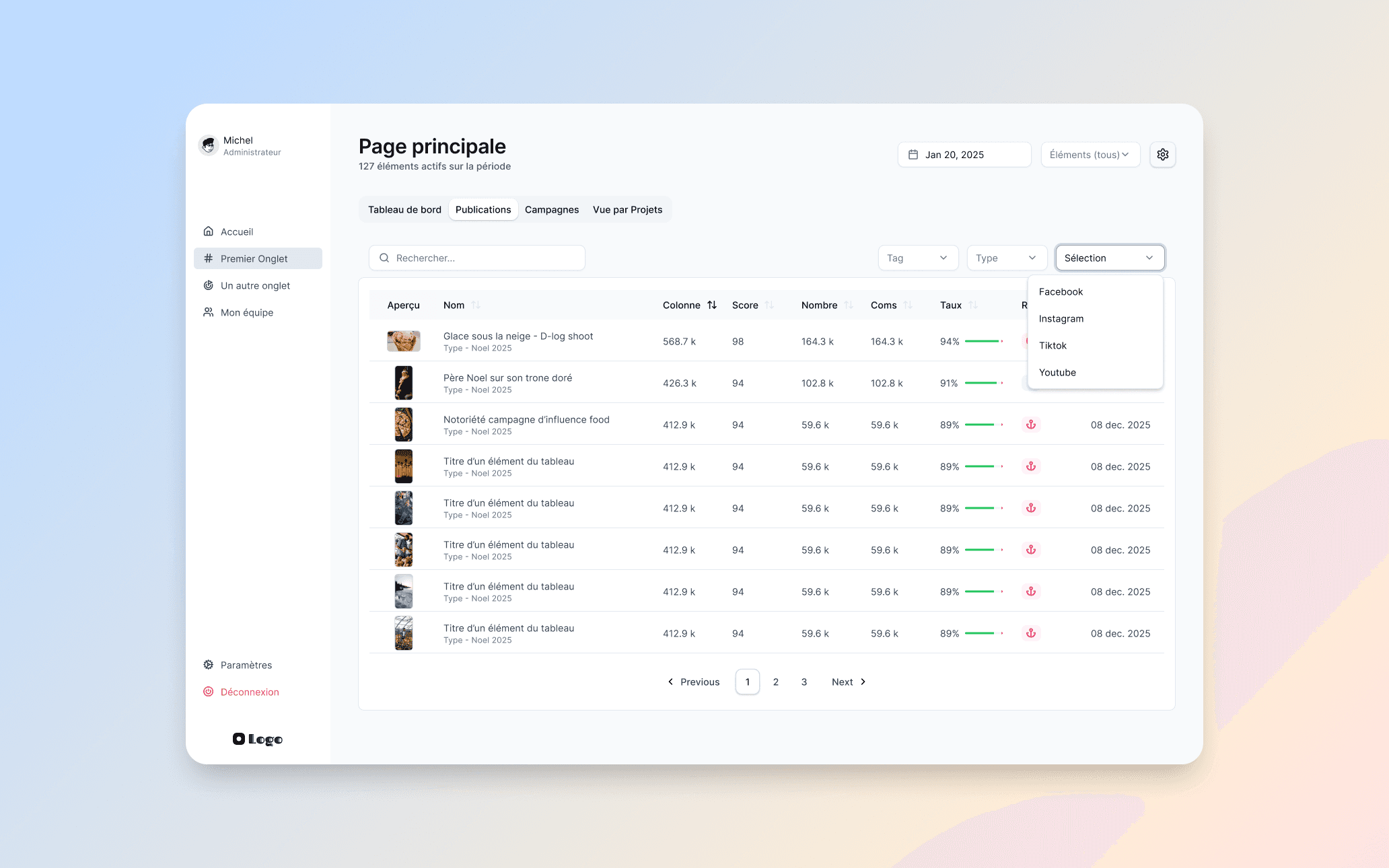
Detailed list view with multi-criteria filters, search, and source-based segmentation. For users who want to dig deeper.
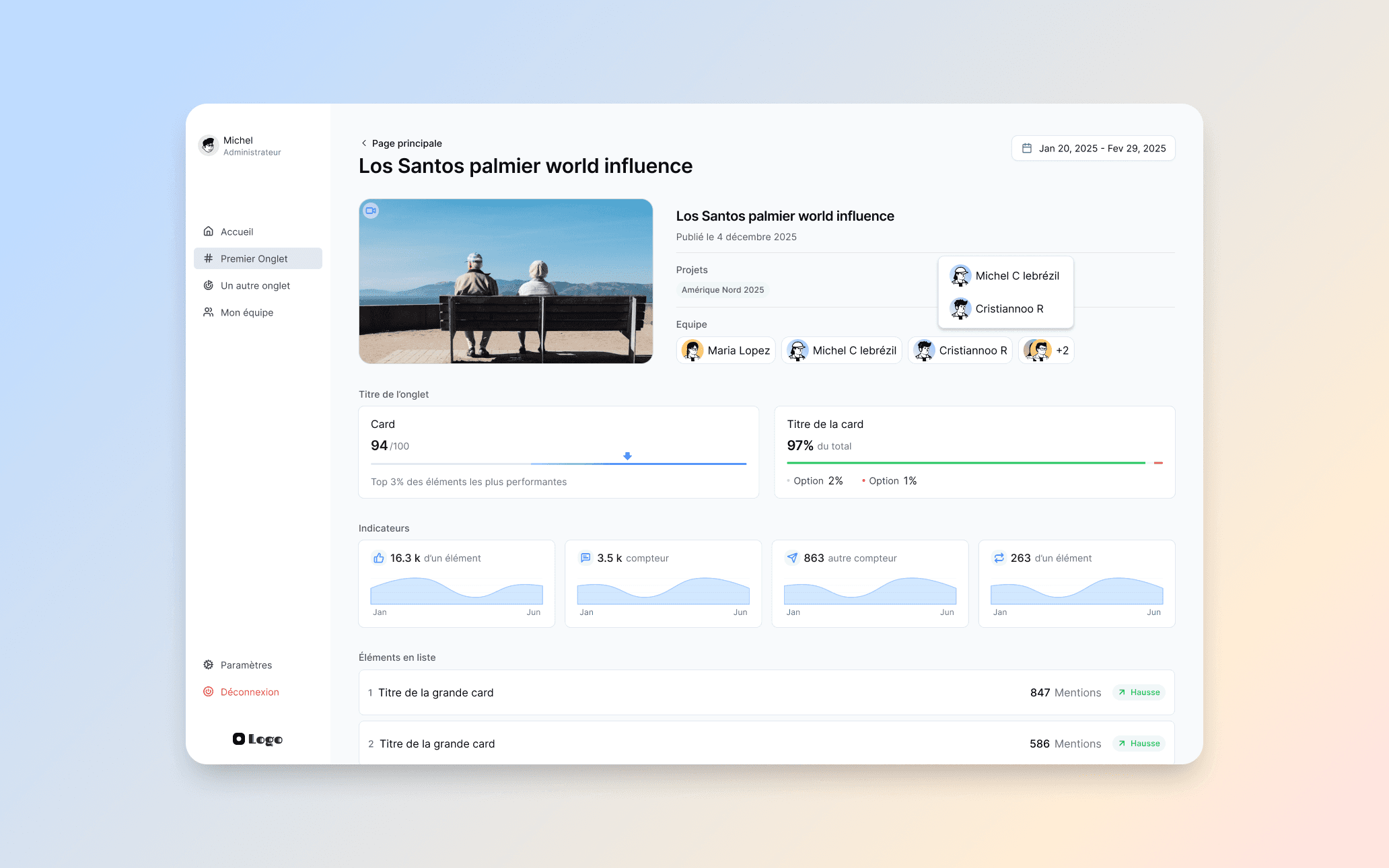
Detail page for a specific element. Team assignment, performance indicators, and trend metrics in one consolidated view.
Team management for large organizations
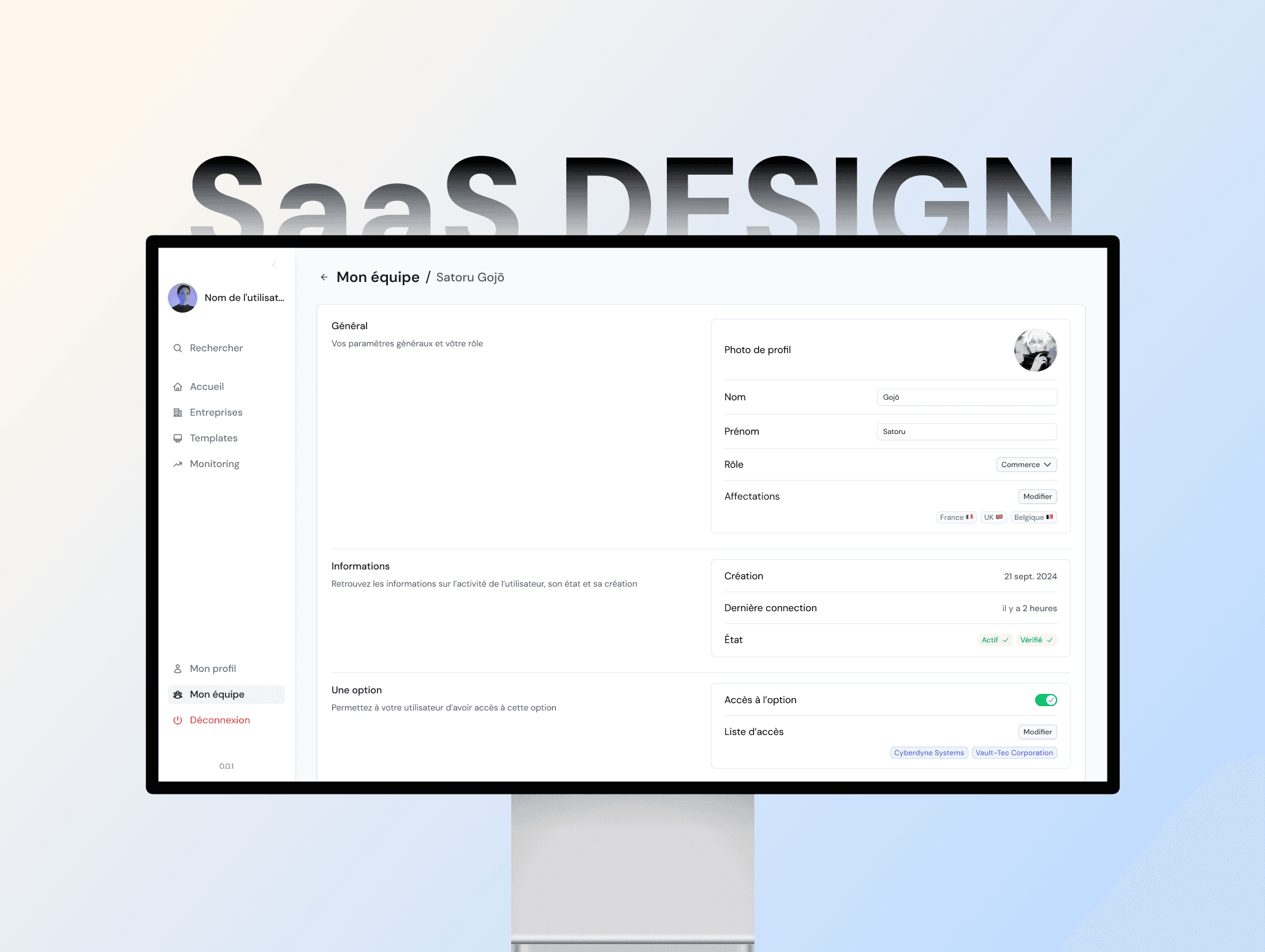
Since the product is built for large organizations, team management was a key part of the design. I designed a complete system to manage members, roles, and assignments. Admins can view top performers, manage roles in bulk to save time, and access individual profiles for fine-grained control.
Bulk actions were a particular focus: in large organizations, admins often manage dozens or hundreds of users at once. The interface lets them select multiple members and apply role changes or removals in a single action.
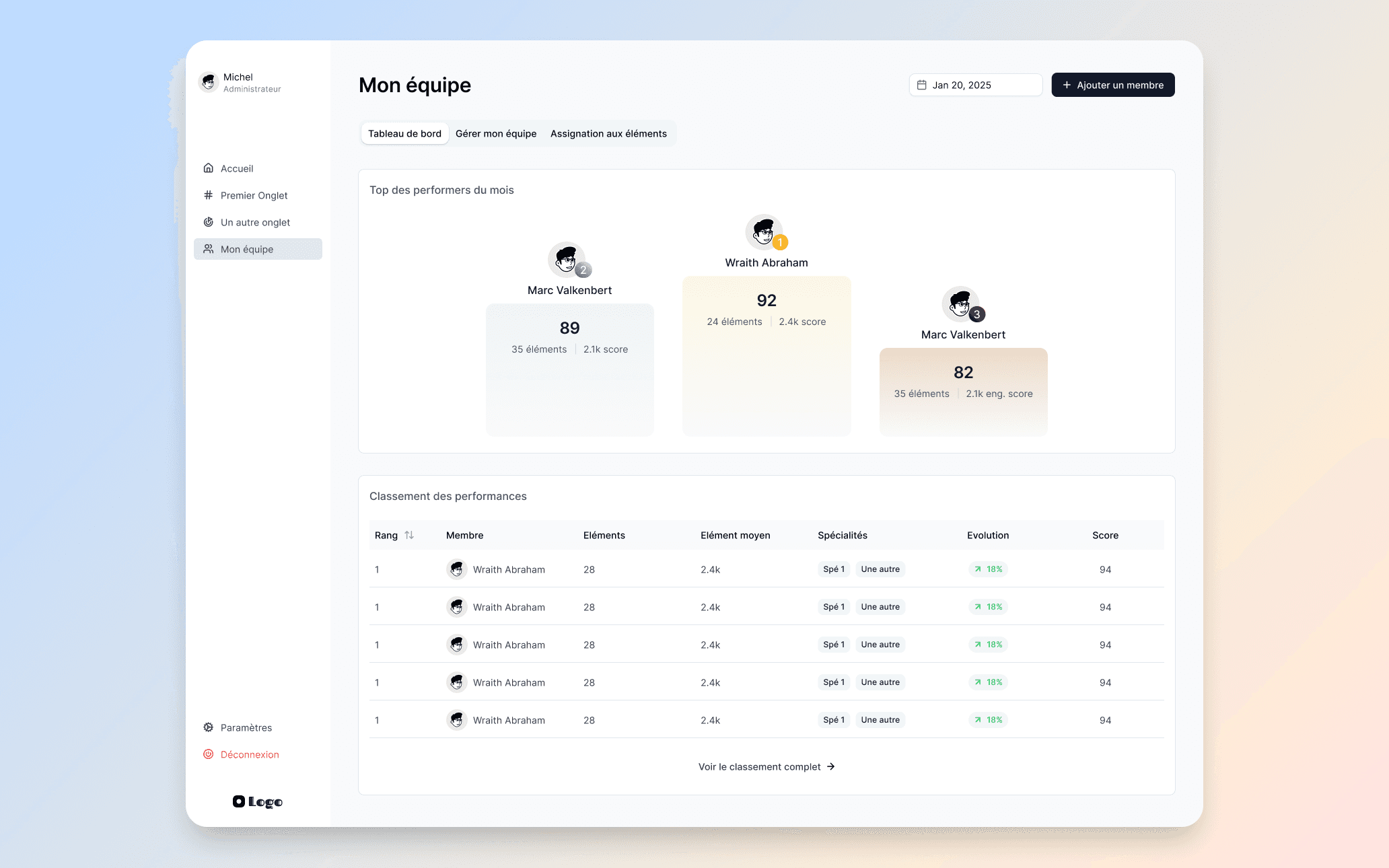
Team dashboard: top performers and full performance ranking. Built to give admins instant visibility on team activity.
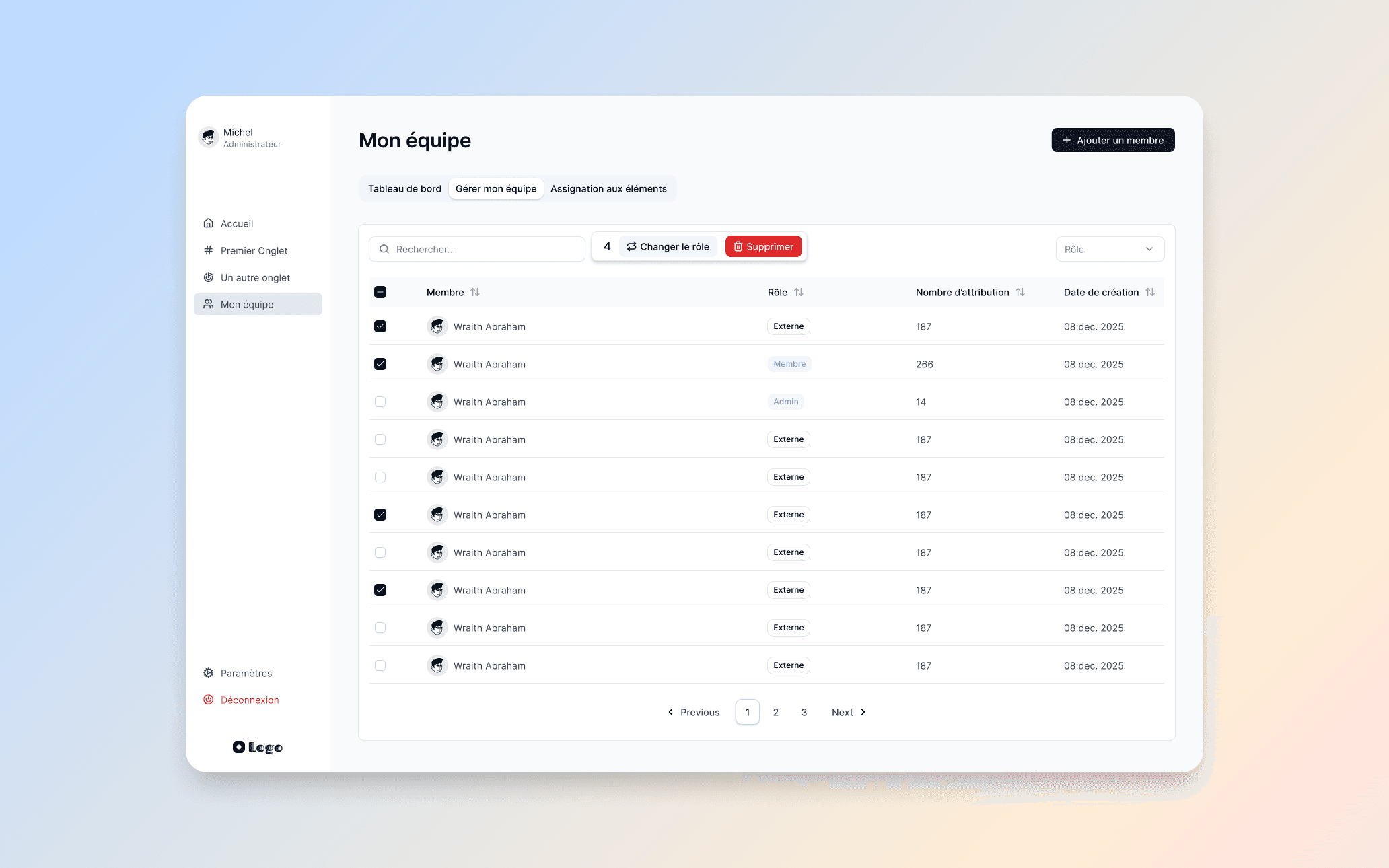
Team management with bulk actions: select multiple members, change roles, or remove them in one click.
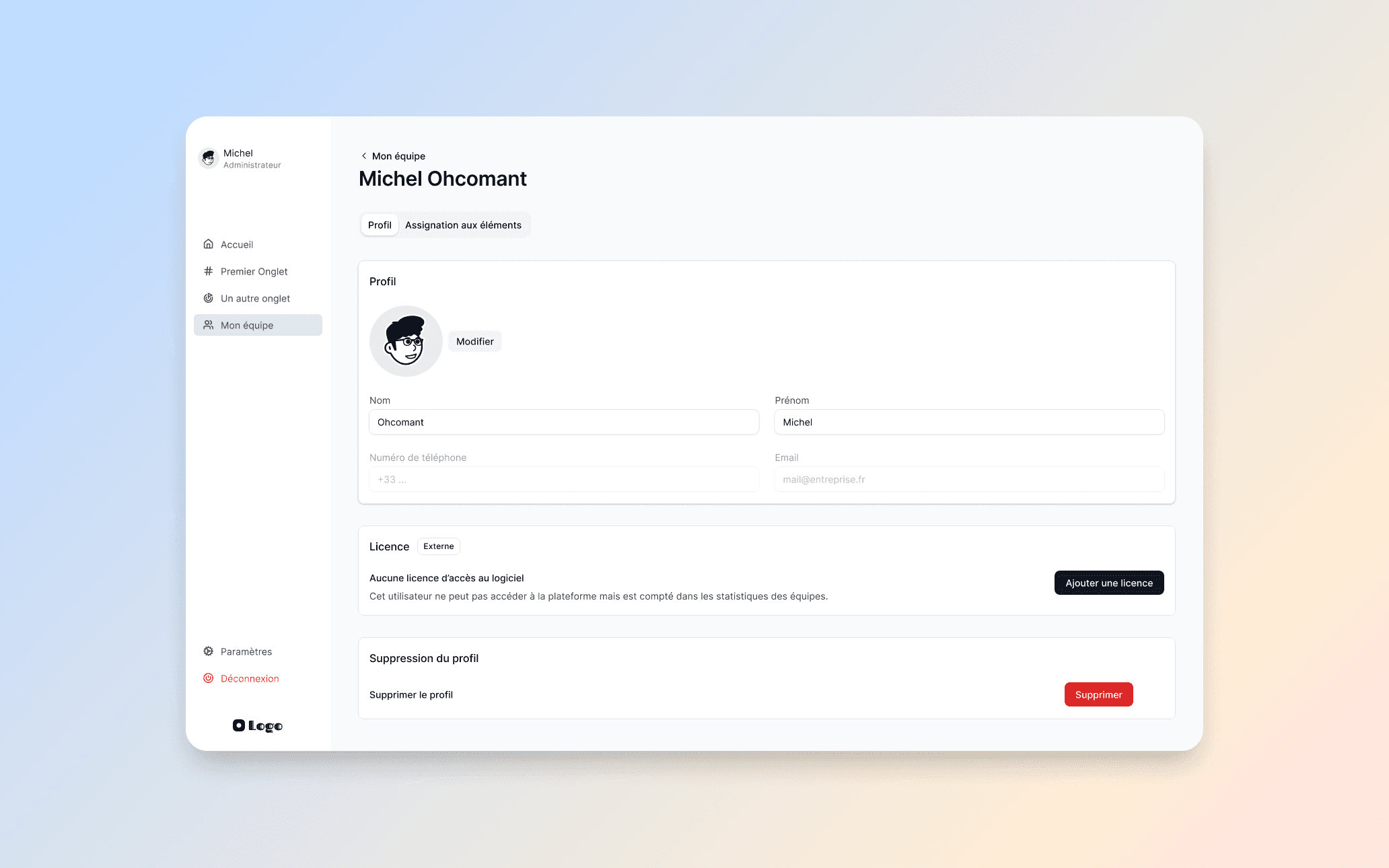
Individual member profile: personal info, license management, and account controls.
Settings and account management
The settings section follows established SaaS best practices. I designed it to be visually pleasant while staying functionally familiar, so users never feel lost. Profile editing, security, notifications, and subscription management are all grouped under a clear tabbed structure.
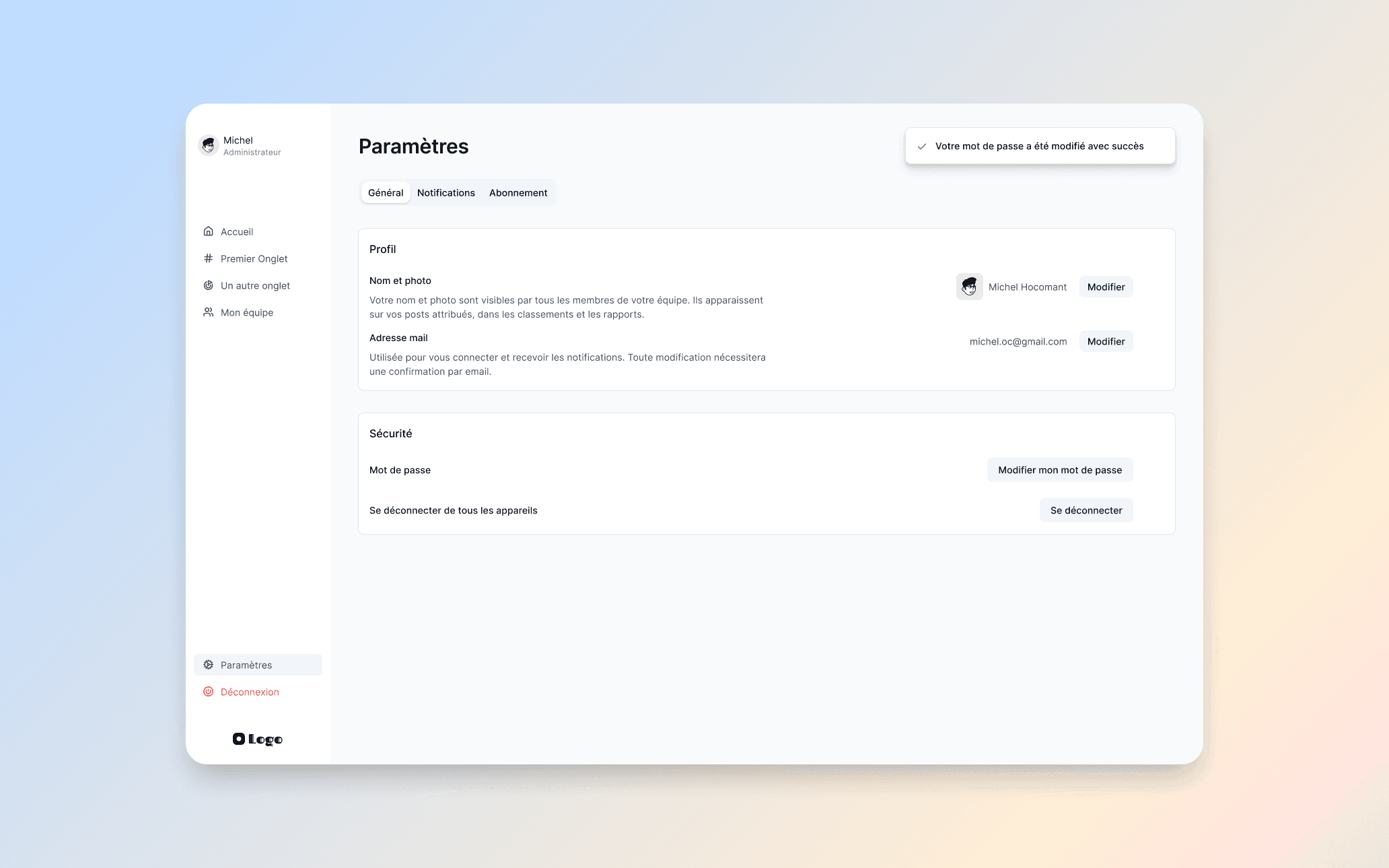
Settings overview: profile, security, and account controls. Clean grouped sections with success feedback.
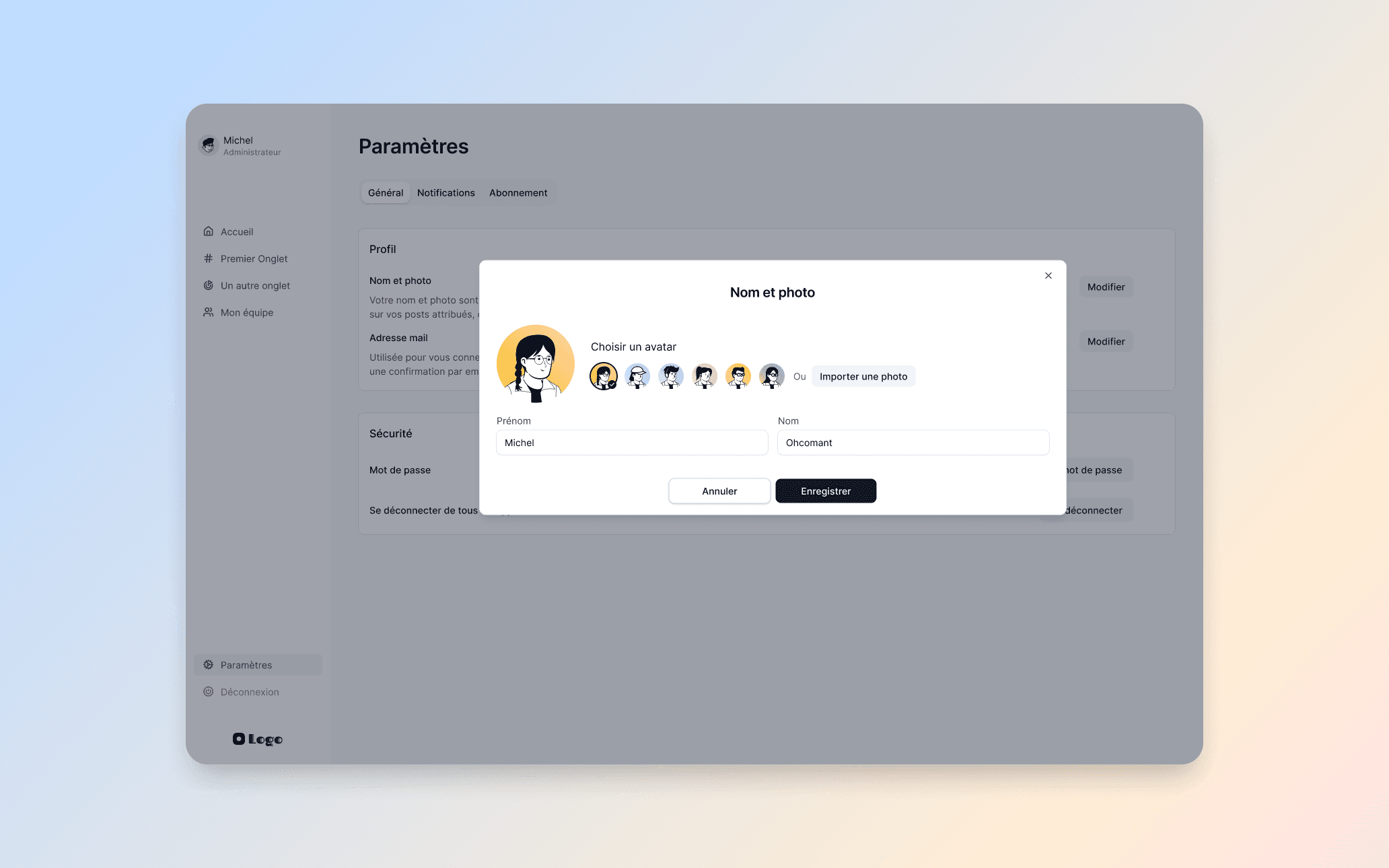
Profile editing modal: avatar selection from presets or custom upload, with editable name fields.
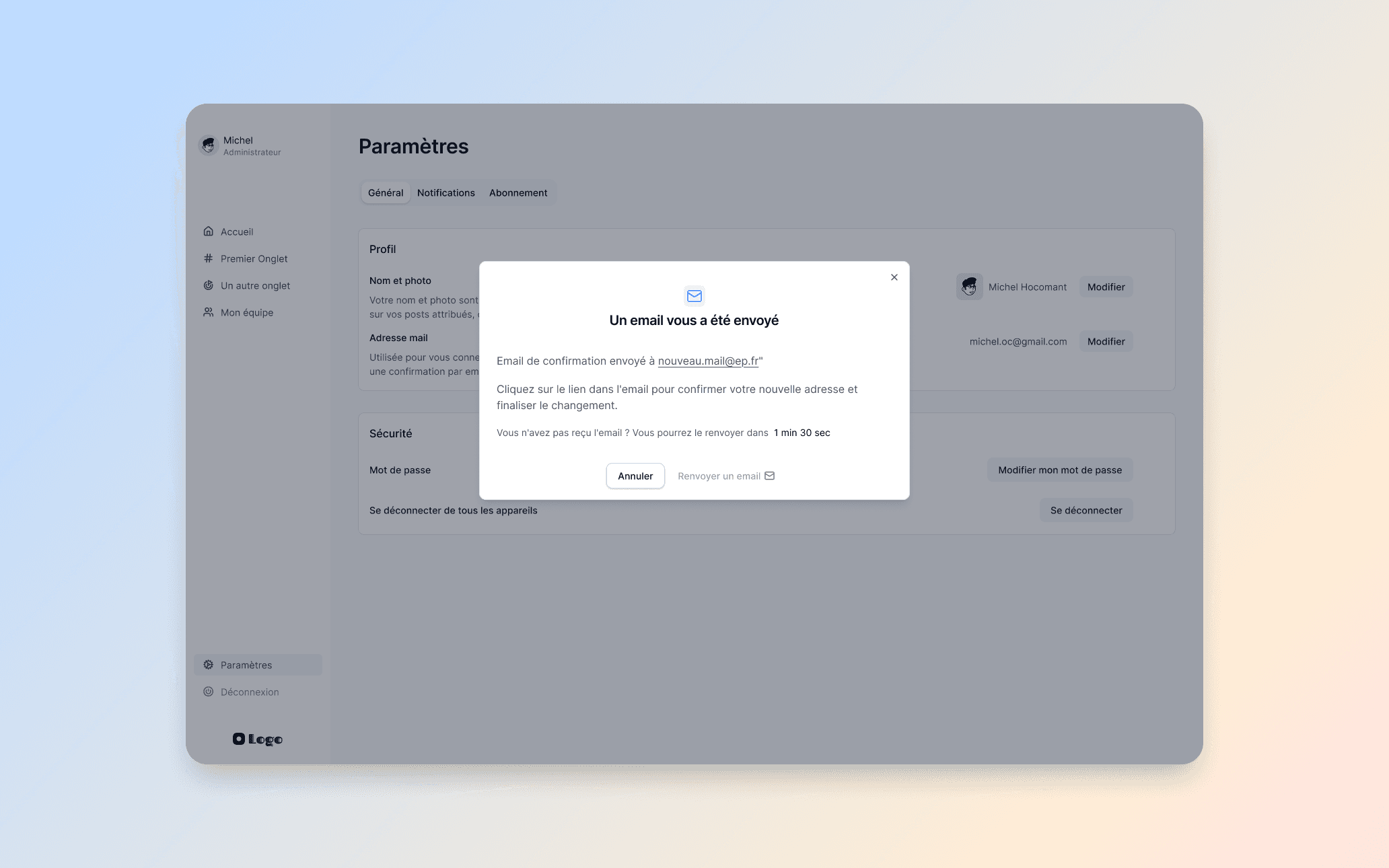
Email change confirmation modal: secure verification with countdown for resending the email.
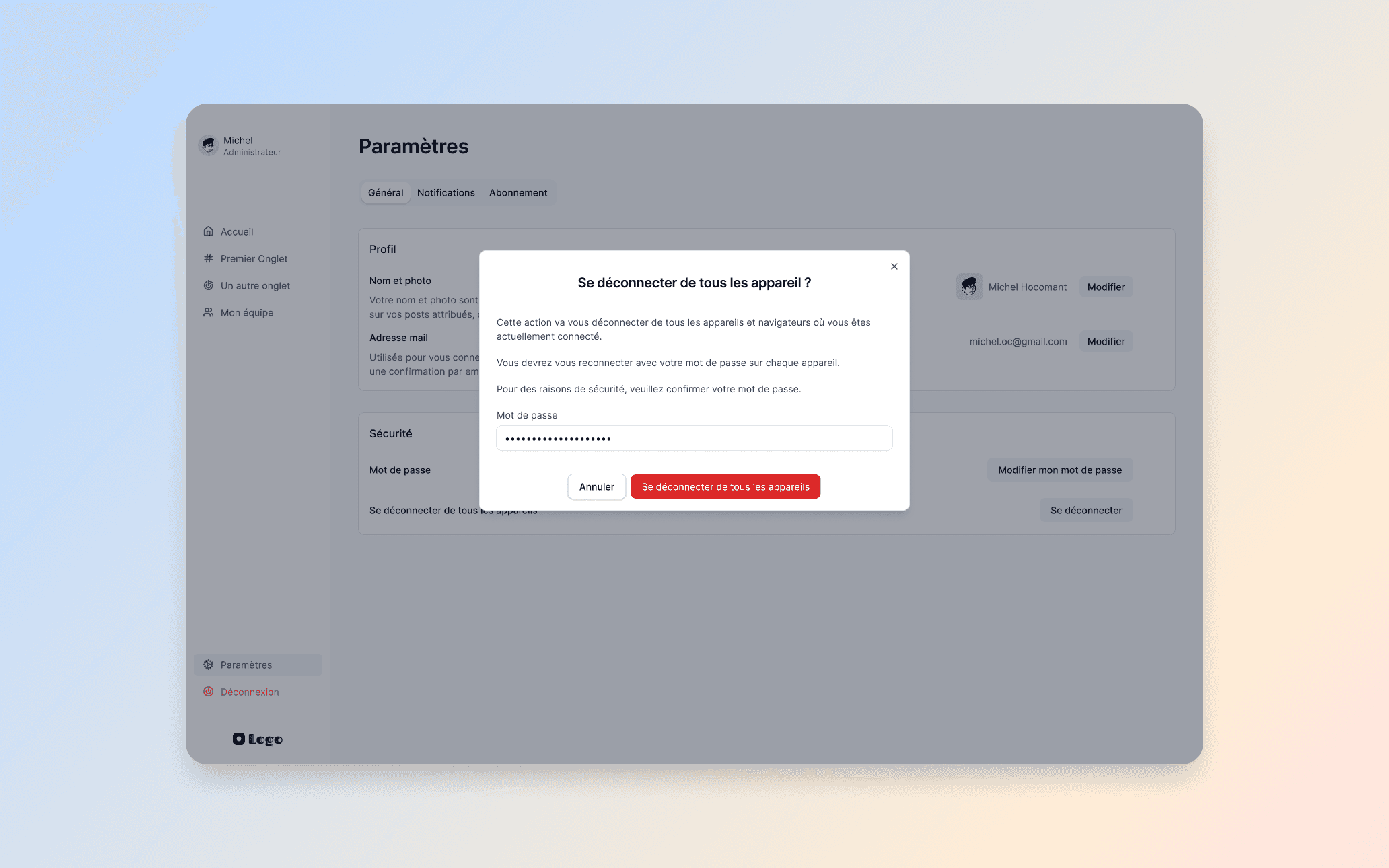
Sign out from all devices: a security action with password confirmation. Clear, deliberate, and reversible if needed.
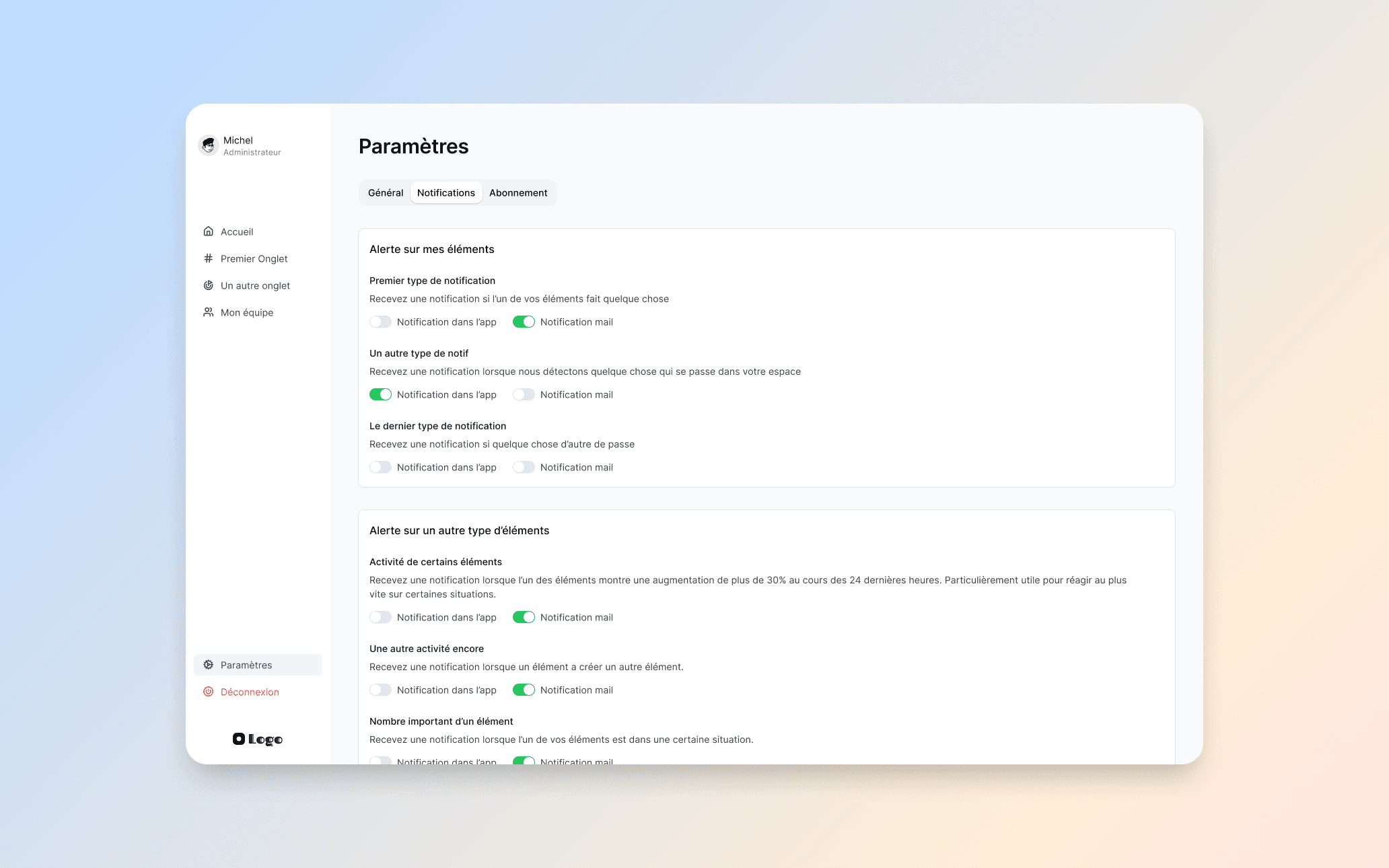
Notification preferences: granular control over in-app and email alerts for every event type.
Subscription and pricing
I designed a complete in-app pricing and checkout flow. Users can choose between three plans with monthly or annual billing, configure the number of admin and user licenses, and complete payment without leaving the app. The flow is built to feel transparent and frictionless: no hidden steps, no surprise costs.
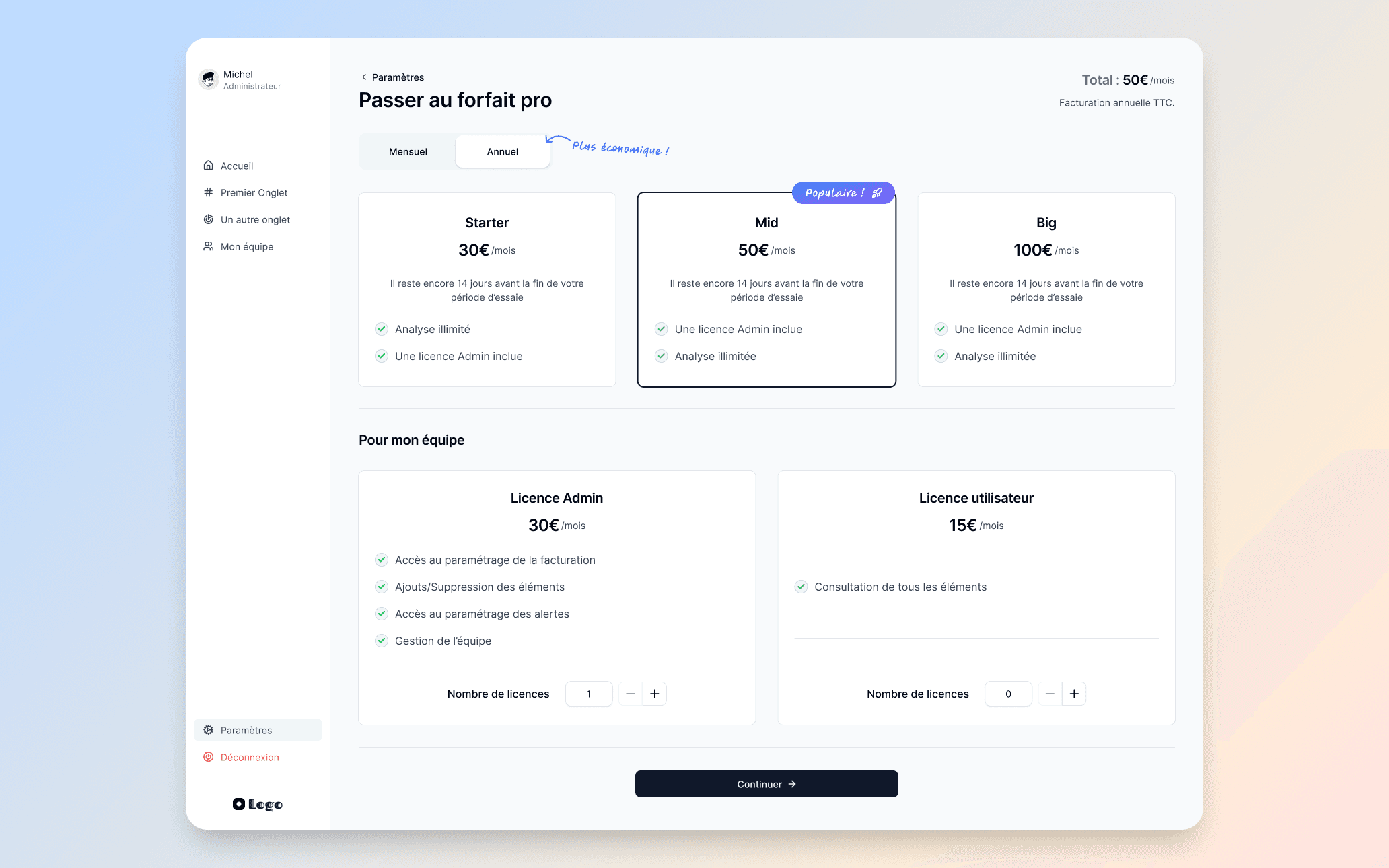
Pricing page: three plans with monthly/annual toggle, plus license configuration for admins and users.
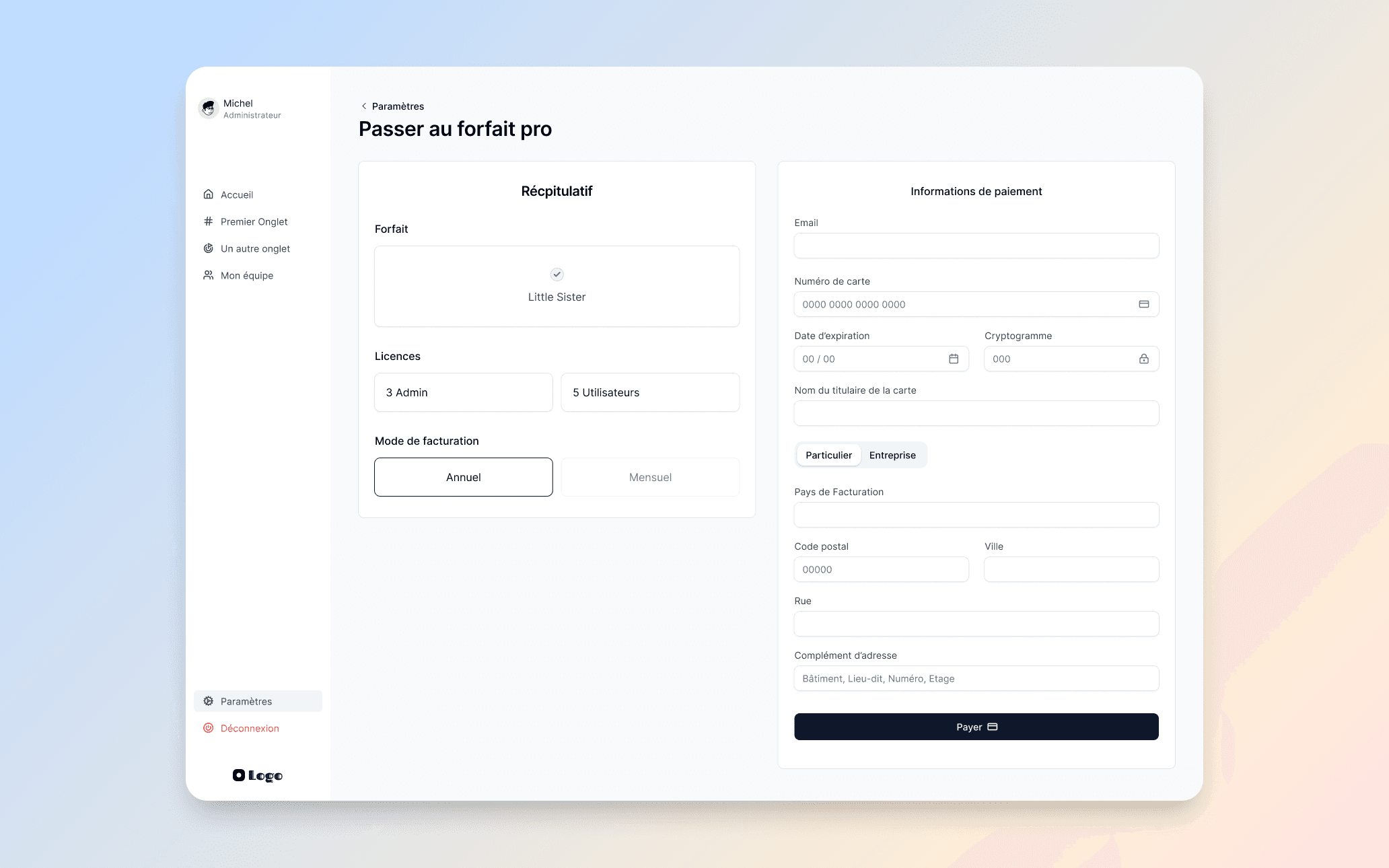
Checkout: order summary on the left, secure payment form on the right. Designed to convert without distraction.
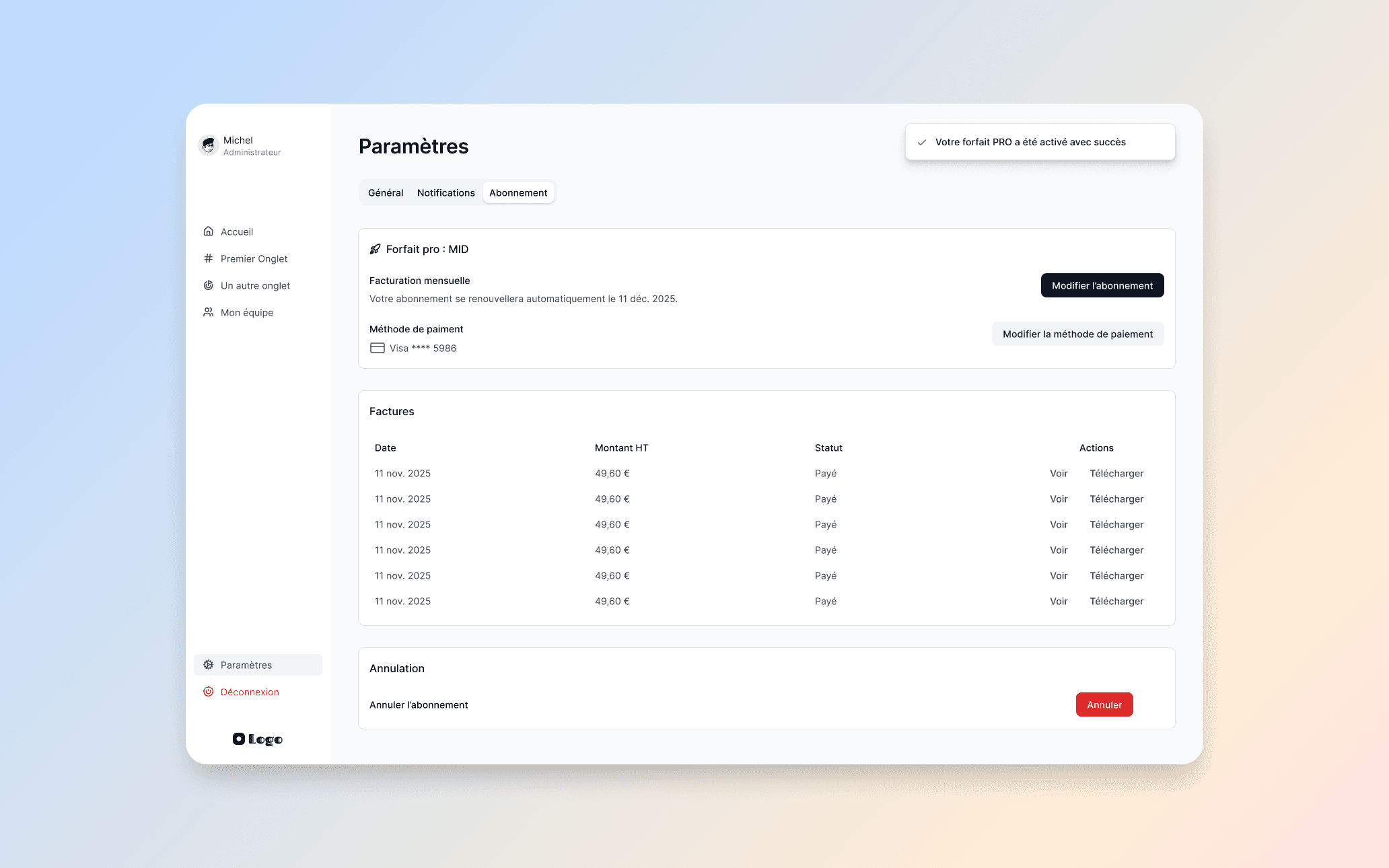
Active subscription view: plan details, payment method, invoice history, and cancellation. Full transparency for the user.
A web MVP to test fast
Beyond the full product, I designed a lightweight web MVP focused on a single feature. The idea was to test market response on one core capability before building the full platform. This approach lets the team validate demand quickly, learn from real users, and adapt the broader product roadmap accordingly.
The MVP includes its own pricing page, a streamlined sign-up flow, an email confirmation system, and a clear post-payment welcome screen, everything needed to acquire and onboard a paying user from a single feature.
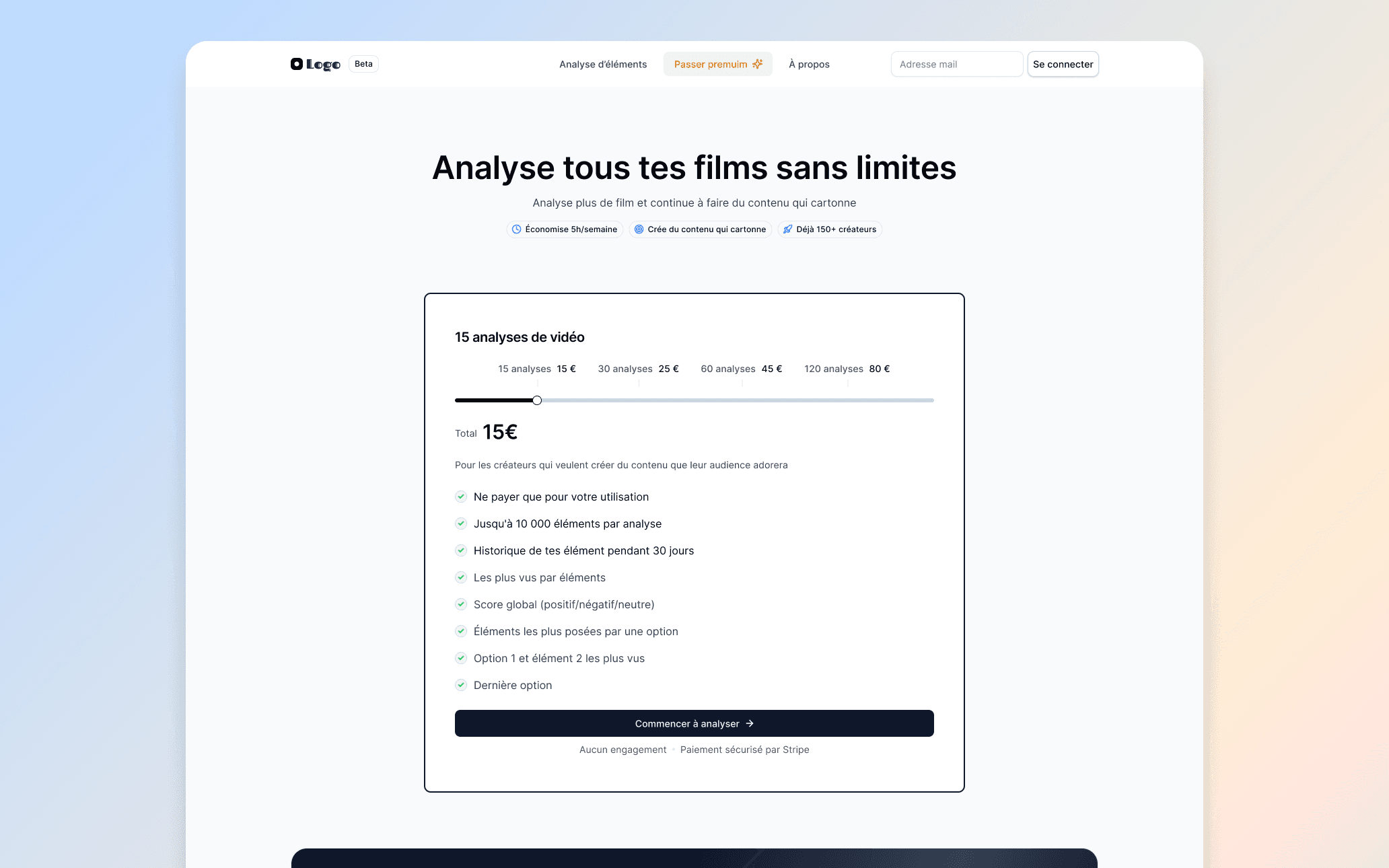
MVP landing: a single product, a single price, a clear call to action. Built to test market demand fast.
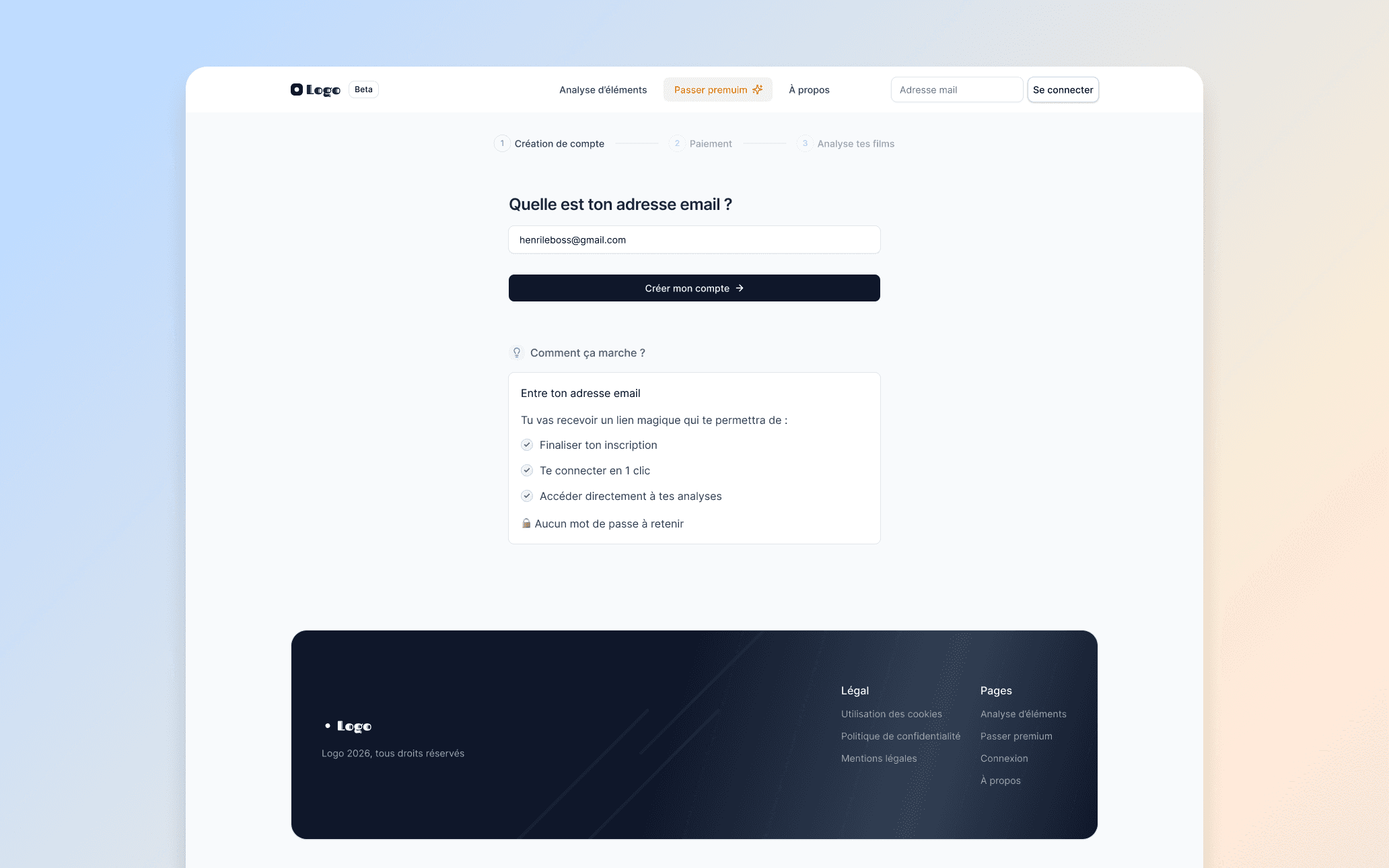
Account creation step: one field, one button. The MVP keeps friction to an absolute minimum.
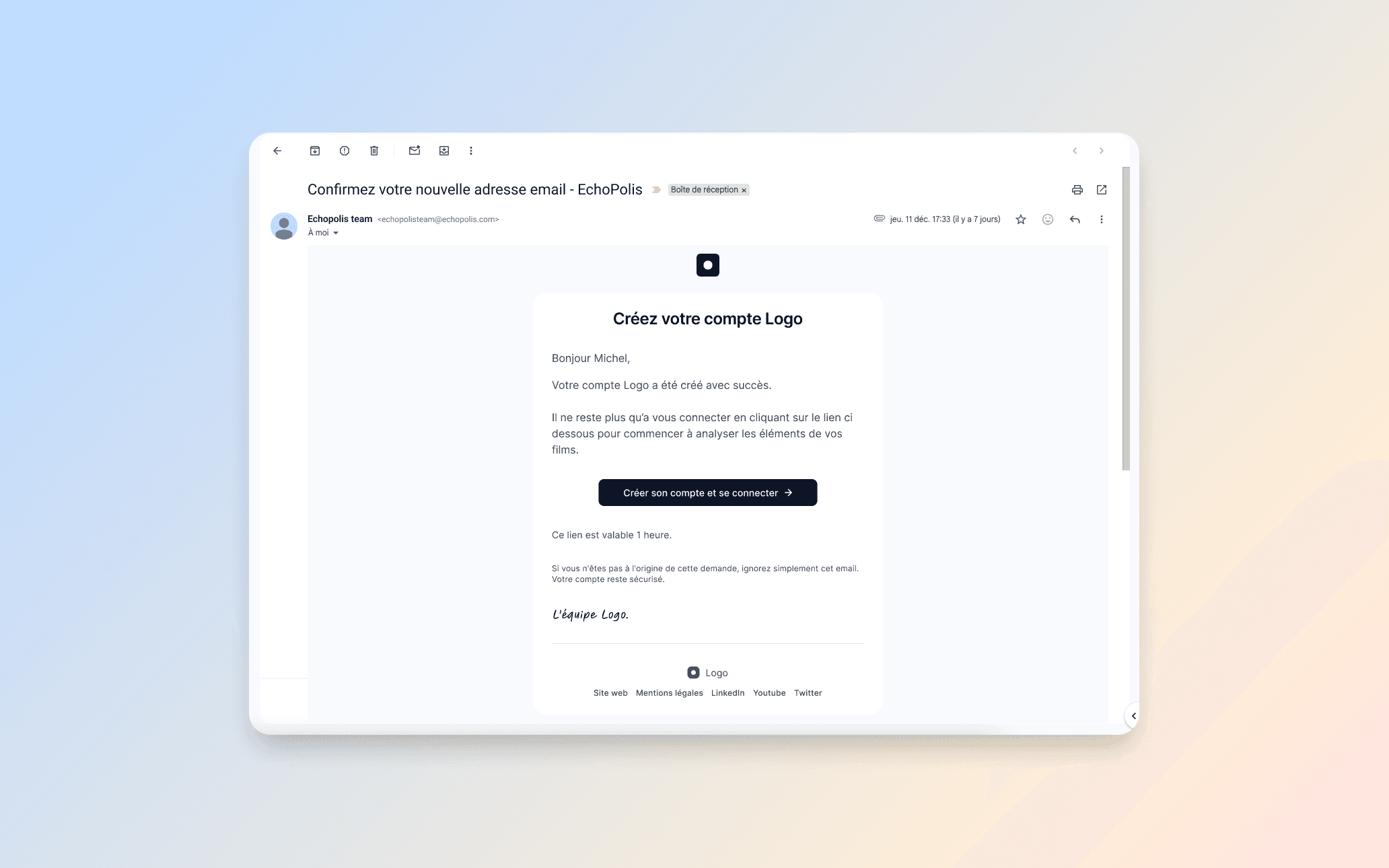
Confirmation email design: clean, branded, and clearly actionable. The first touchpoint after signup.
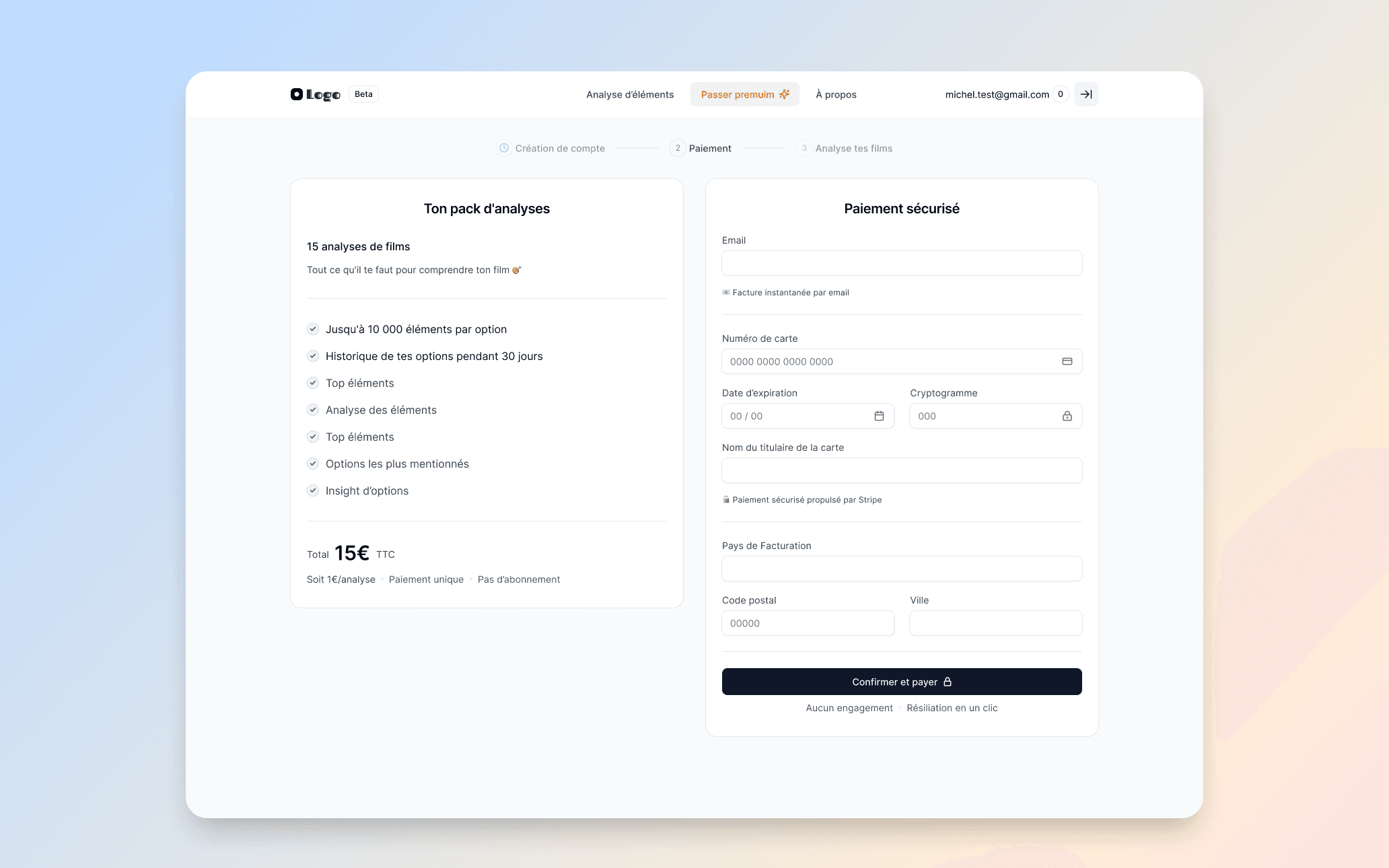
Secure payment page powered by Stripe. Order summary on the left, payment form on the right.
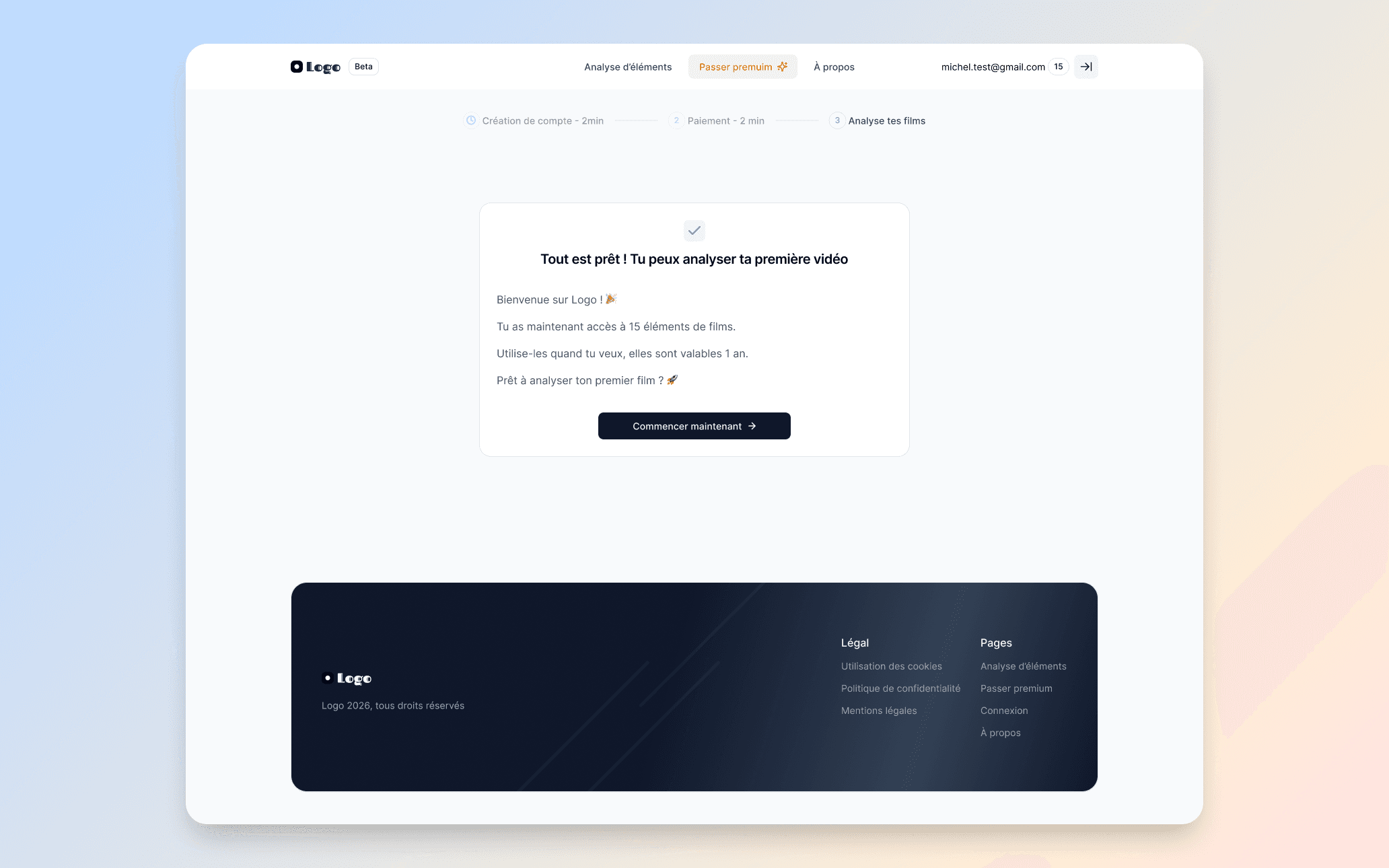
Welcome screen after payment: clear next step and immediate access to the product. The user is ready to start.
What this project showcases
Designing a product from zero is a completely different exercise than redesigning an existing one. Every decision had to be justified by product thinking rather than inherited patterns. This project gave me the opportunity to think through the full user journey, from the very first contact with the product to advanced admin workflows in a multi-user organization.
It also pushed me to balance two competing needs: the simplicity required to onboard non-technical users, and the depth expected by power users in large organizations. The result is a product that scales with the user's expertise without overwhelming them at any stage.