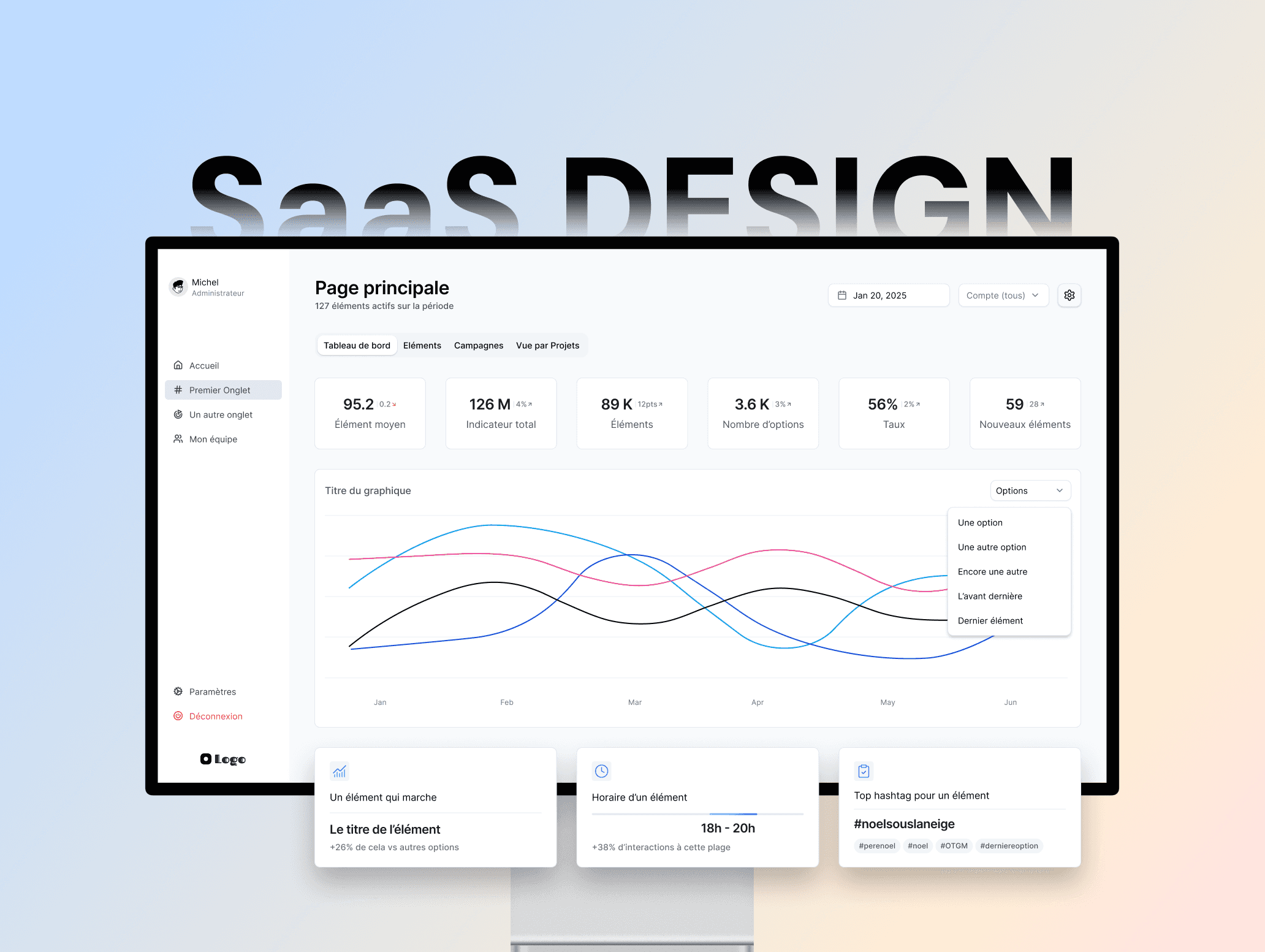
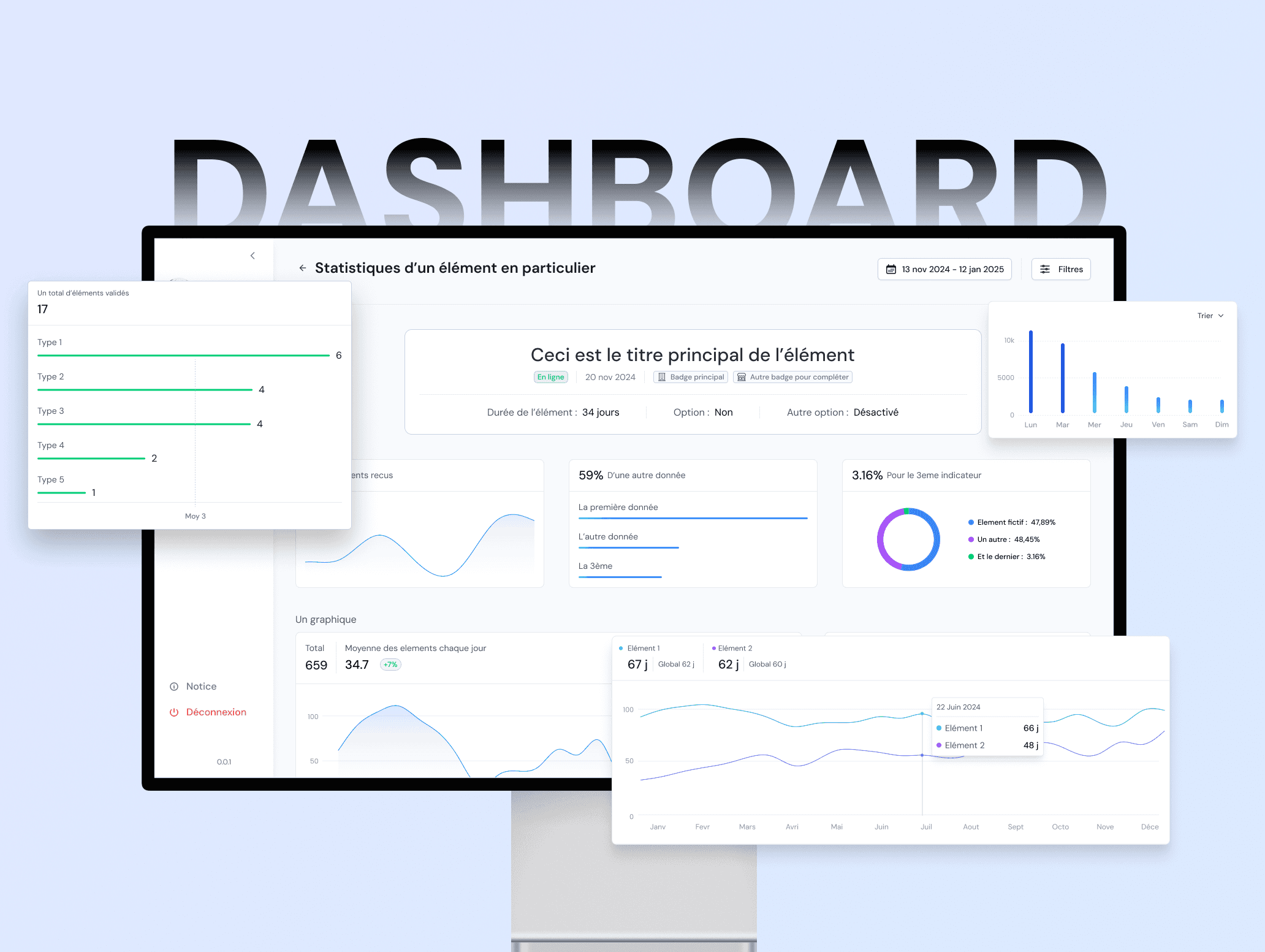
Redesigning the back-office to scale with the product
Project
SaaS Redesign
Role
Lead Designer (Analysis, Design System, UI, Design Review)
A full redesign of the internal admin tool.
Over 100 pages, a complete design system, and a foundation built to support the future redesign of the main product.
This project contains confidential information. What's shown here is a curated selection. Feel free to reach out for a deeper walkthrough.
Scope of Work
The problem
The existing admin tool was built on aging technology. It worked, but it was hard to navigate, visually inconsistent, and nearly impossible to extend with new features. Every addition felt patched in rather than designed.
The tool is used daily by customer success managers to set up client accounts, activate or deactivate commercial options, and manage technical configurations. The sales team also relies on a demo version to showcase the product to prospects. For both audiences, the experience needed to be faster, cleaner, and more professional.
The previous admin. Top navigation, cluttered filter bar, and inconsistent action icons.
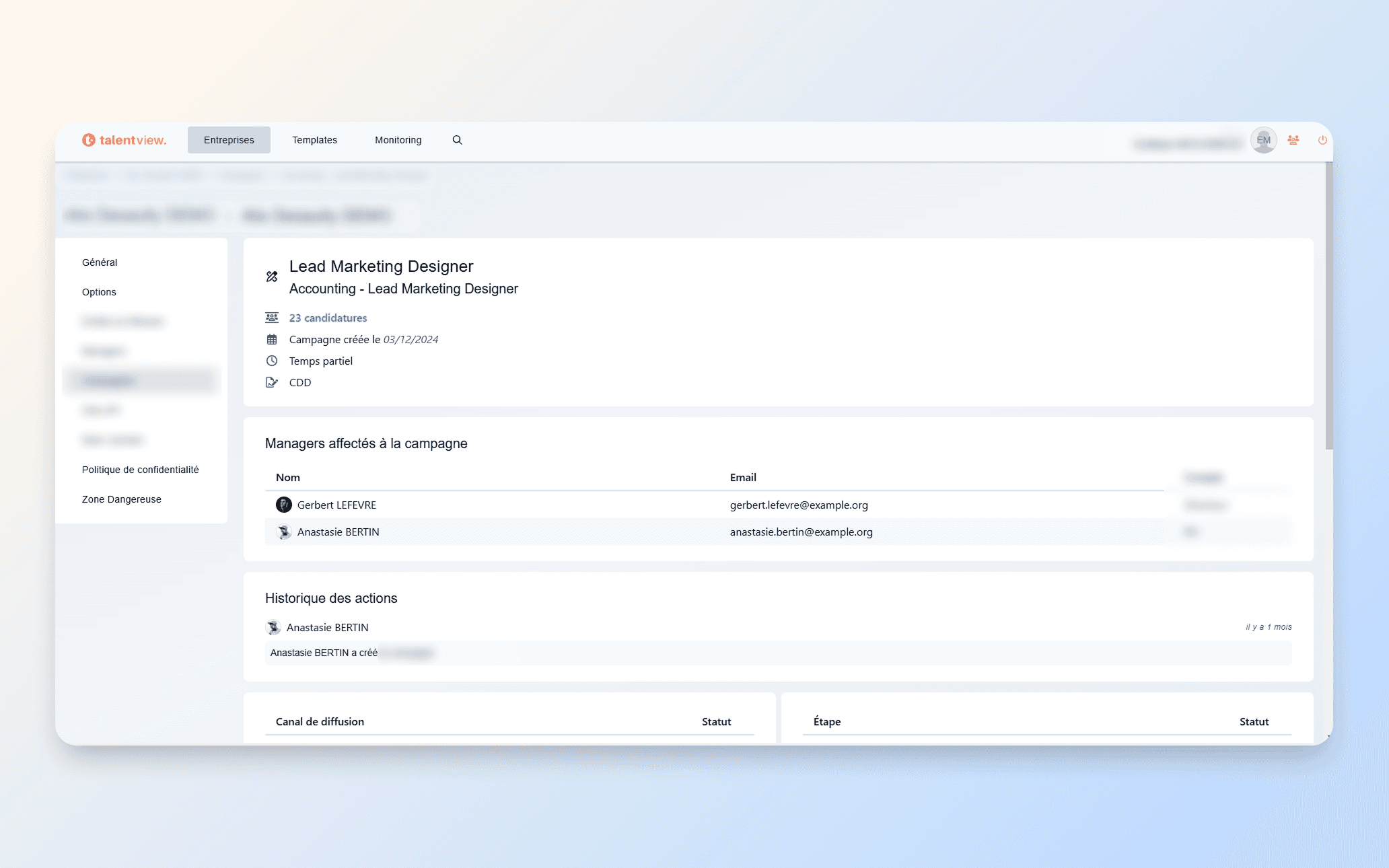
A detail page in the old admin. Outdated layout, poor information hierarchy, and limited visual structure.
The approach
This wasn't just a visual refresh. The goal was to rebuild the entire layout system so new features could be added without breaking what already existed. We also used this project as a testing ground for a future, much larger initiative: the full redesign of the client-facing product.
I worked alongside two other analysts who contributed to wireframes and analysis. As the only dedicated designer on the team, I reviewed and refined every screen they produced to ensure visual and structural consistency across all 100+ pages. I led design reviews with the product team and developers, and gathered direct feedback from CSMs to shape navigation and layout decisions.
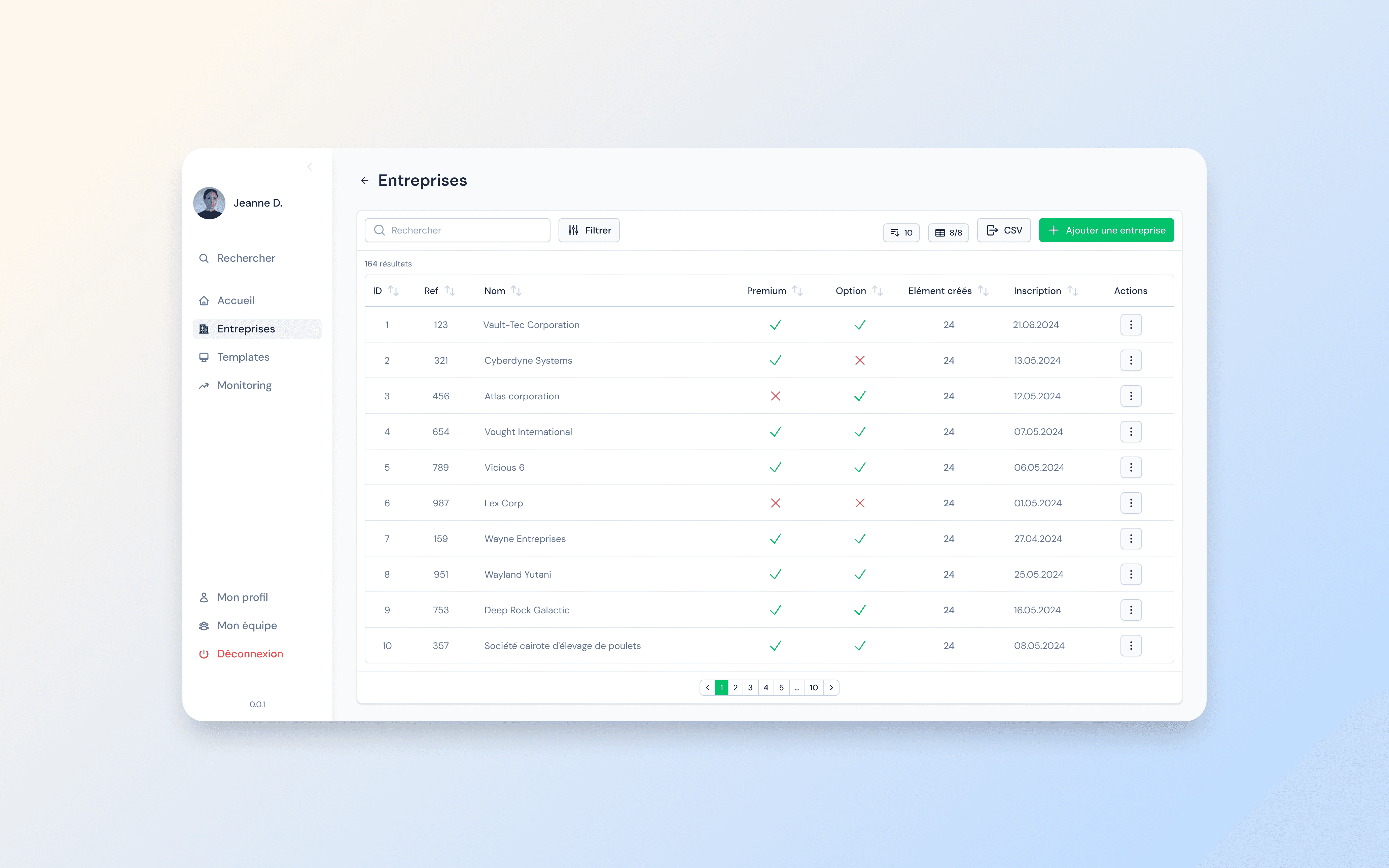
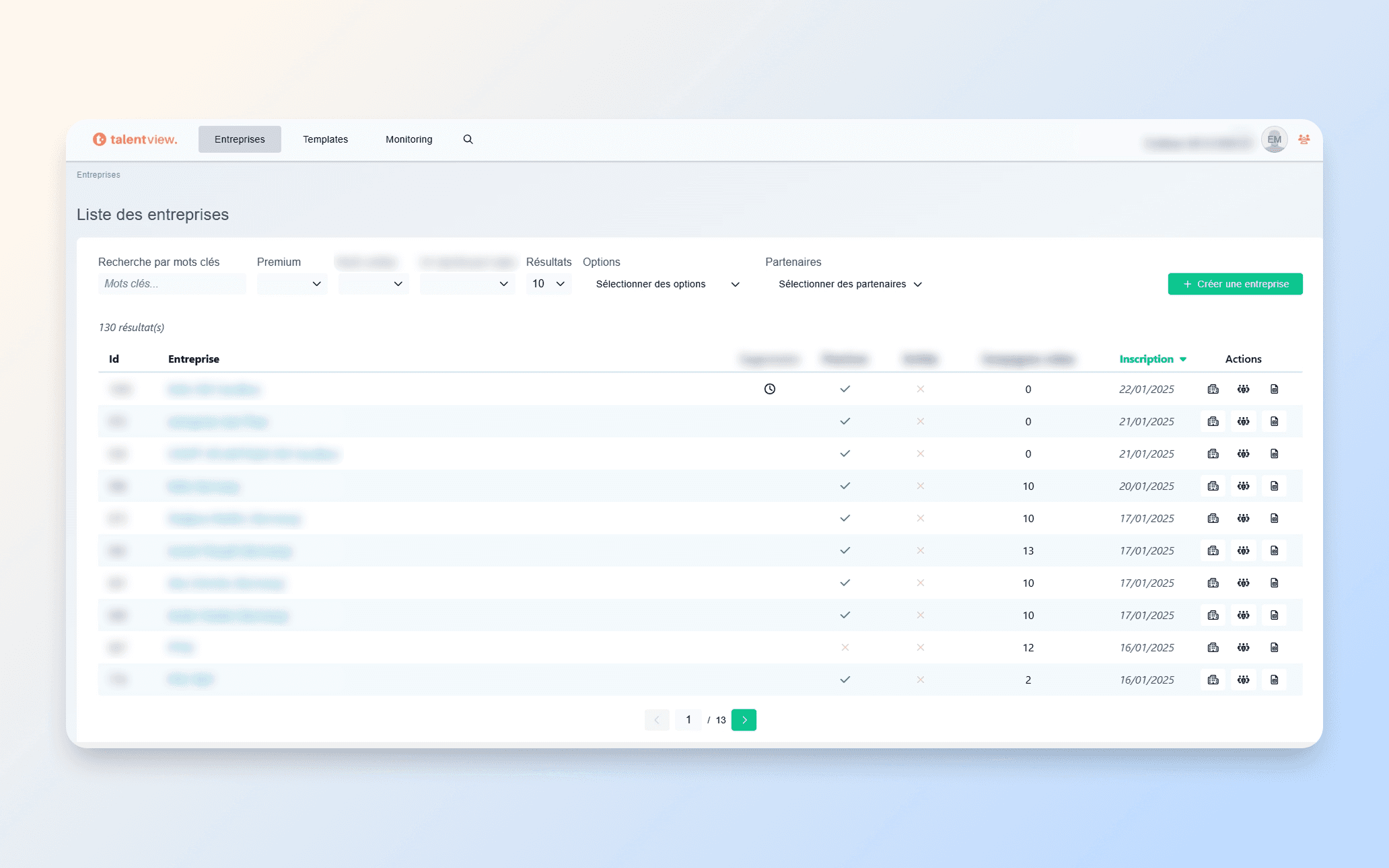
The main client list. Clean data table with search, filters, pagination, and quick actions.
Core pages: lists and details
The backbone of the admin is navigating between entity lists and their detail pages. I redesigned every list view with consistent patterns: searchable, filterable, sortable tables with clear status indicators and contextual actions. Each detail page follows a structured layout with tabbed navigation and grouped information sections.
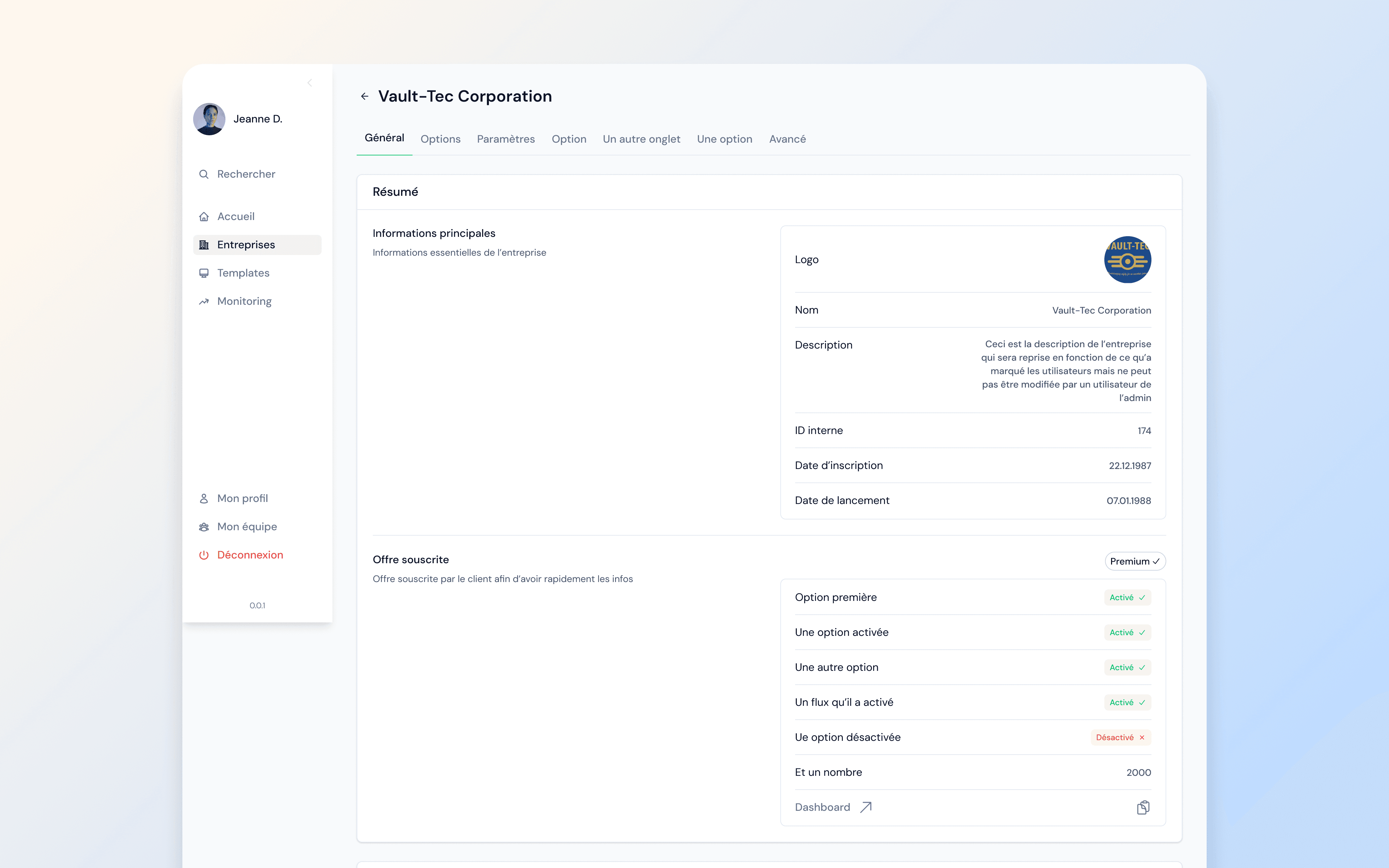
Client detail page. Tabbed navigation, grouped sections, and status indicators for active options.
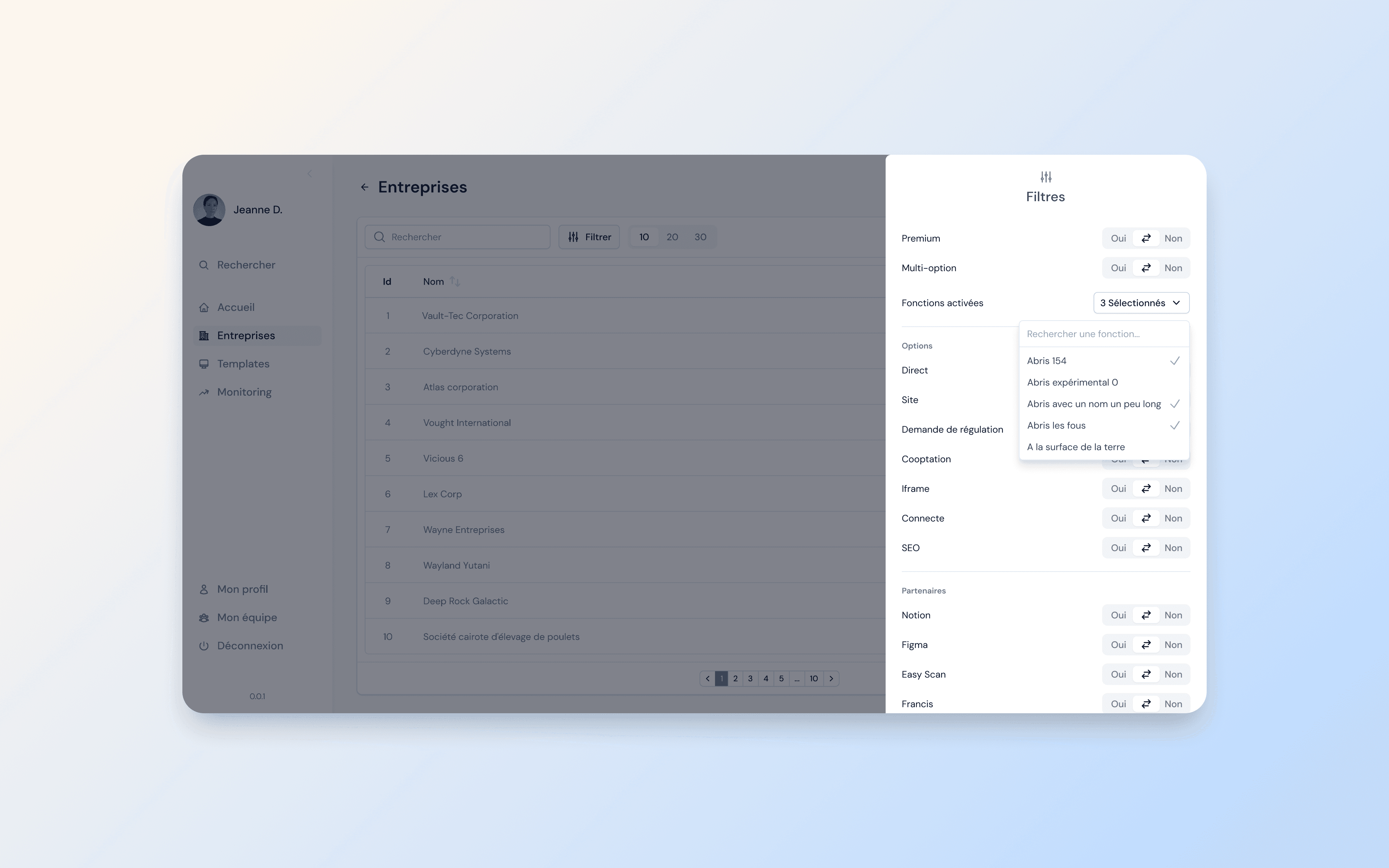
Advanced filtering panel with boolean toggles, multi-select dropdowns, and categorized options.
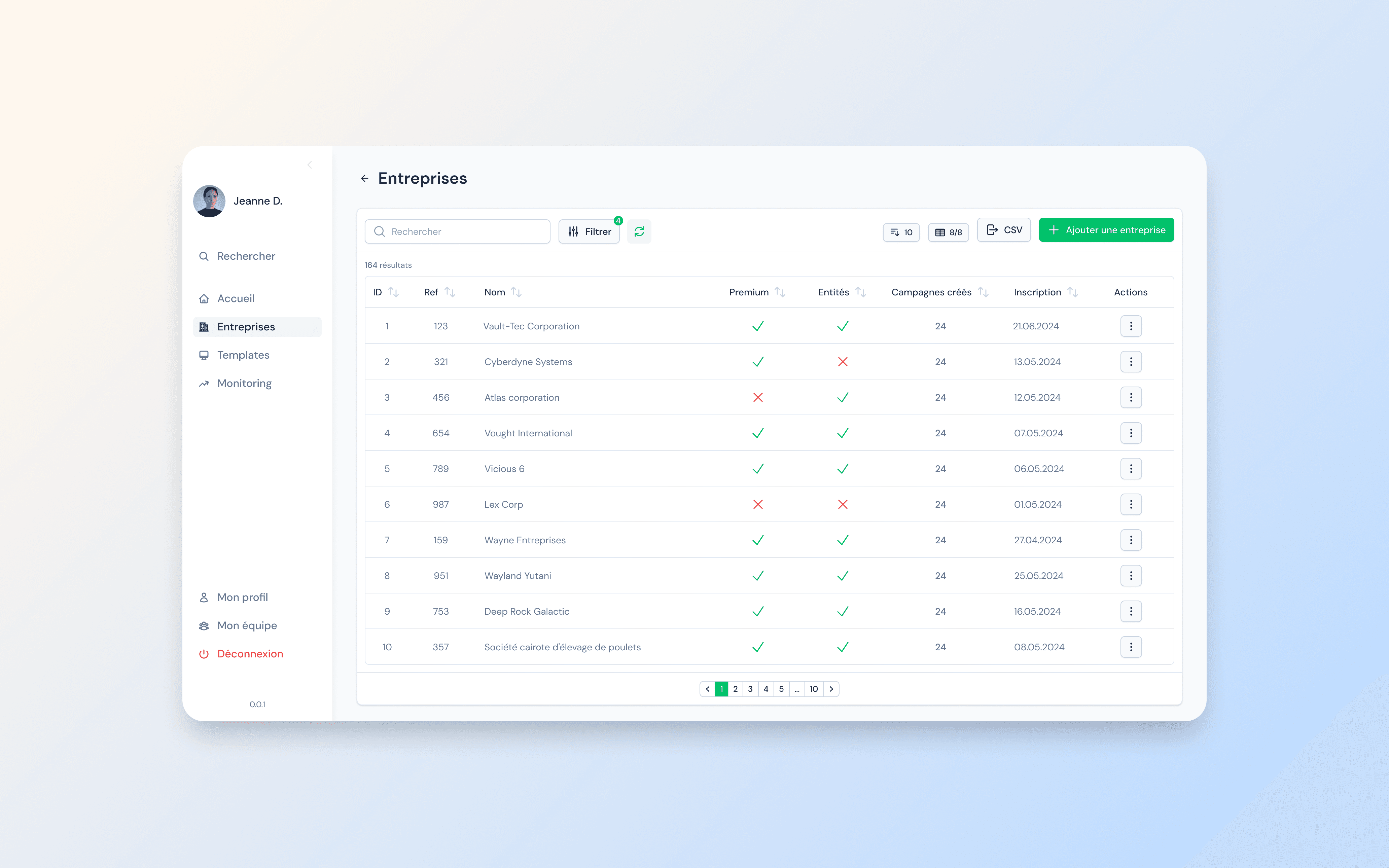
Active filters applied: badge count indicator and reset option for quick filter management.
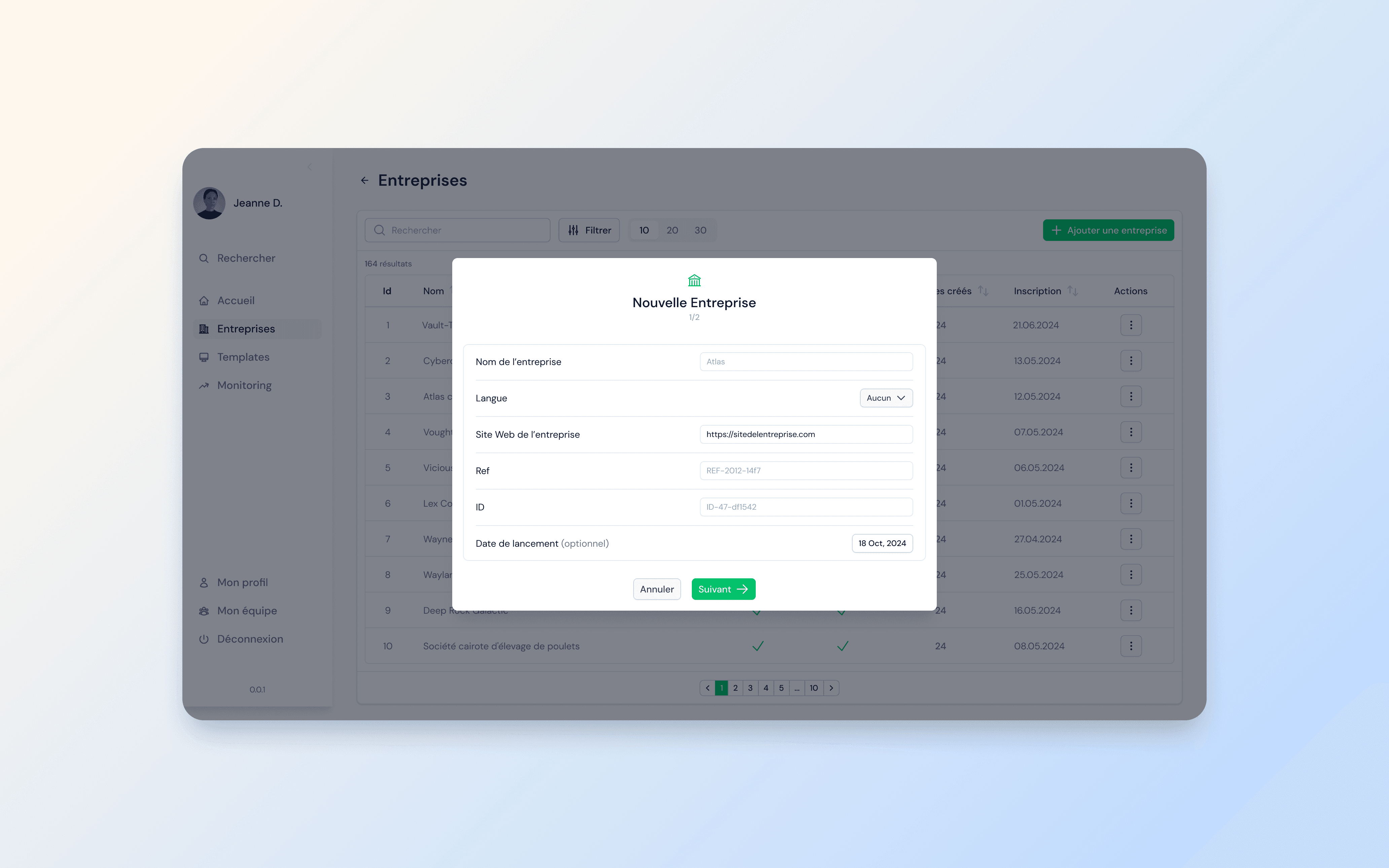
Step 1 of the company creation flow. Clear fields, guided progression, and a numbered step indicator.
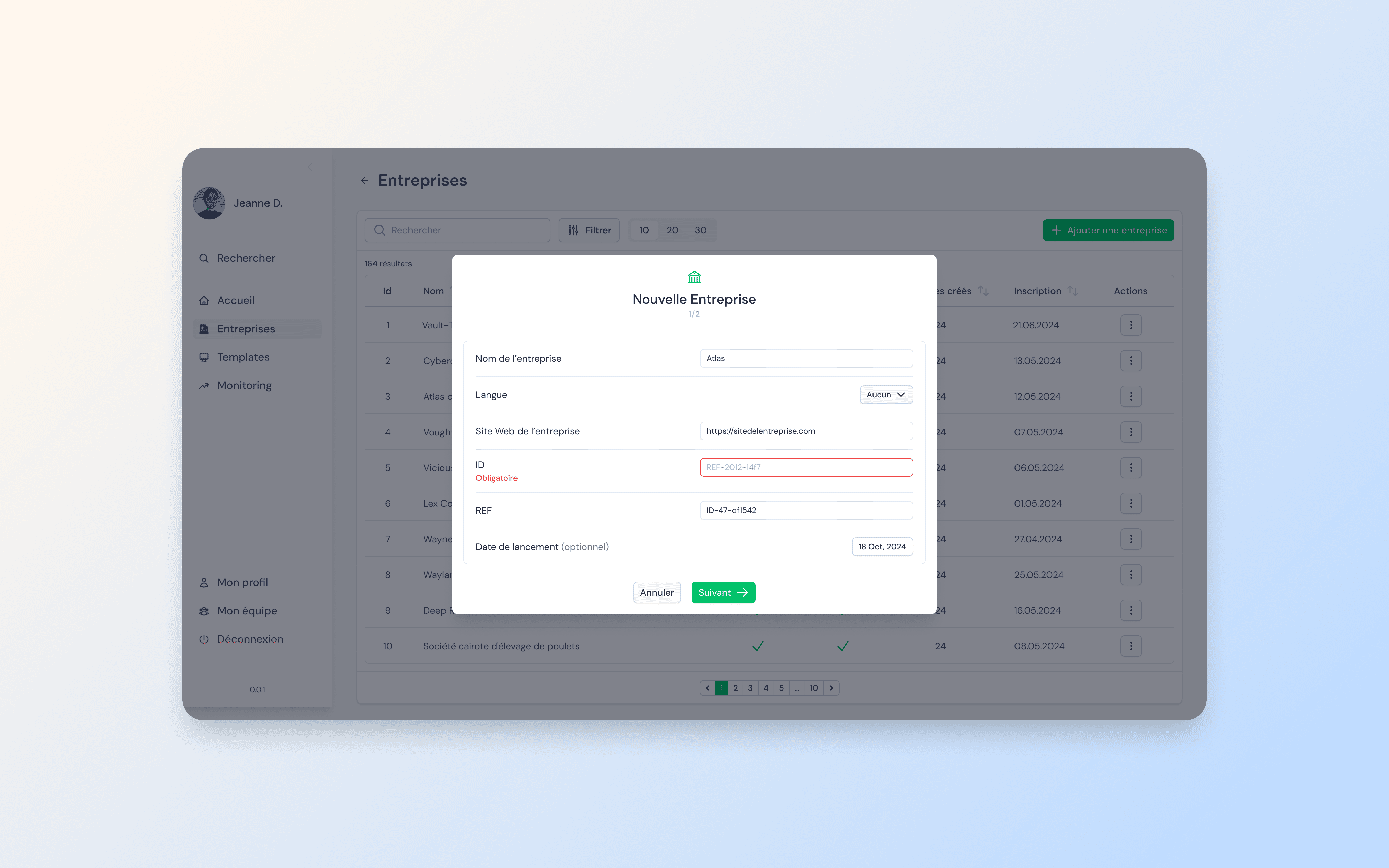
Validation state: required fields are highlighted inline before the user can proceed.
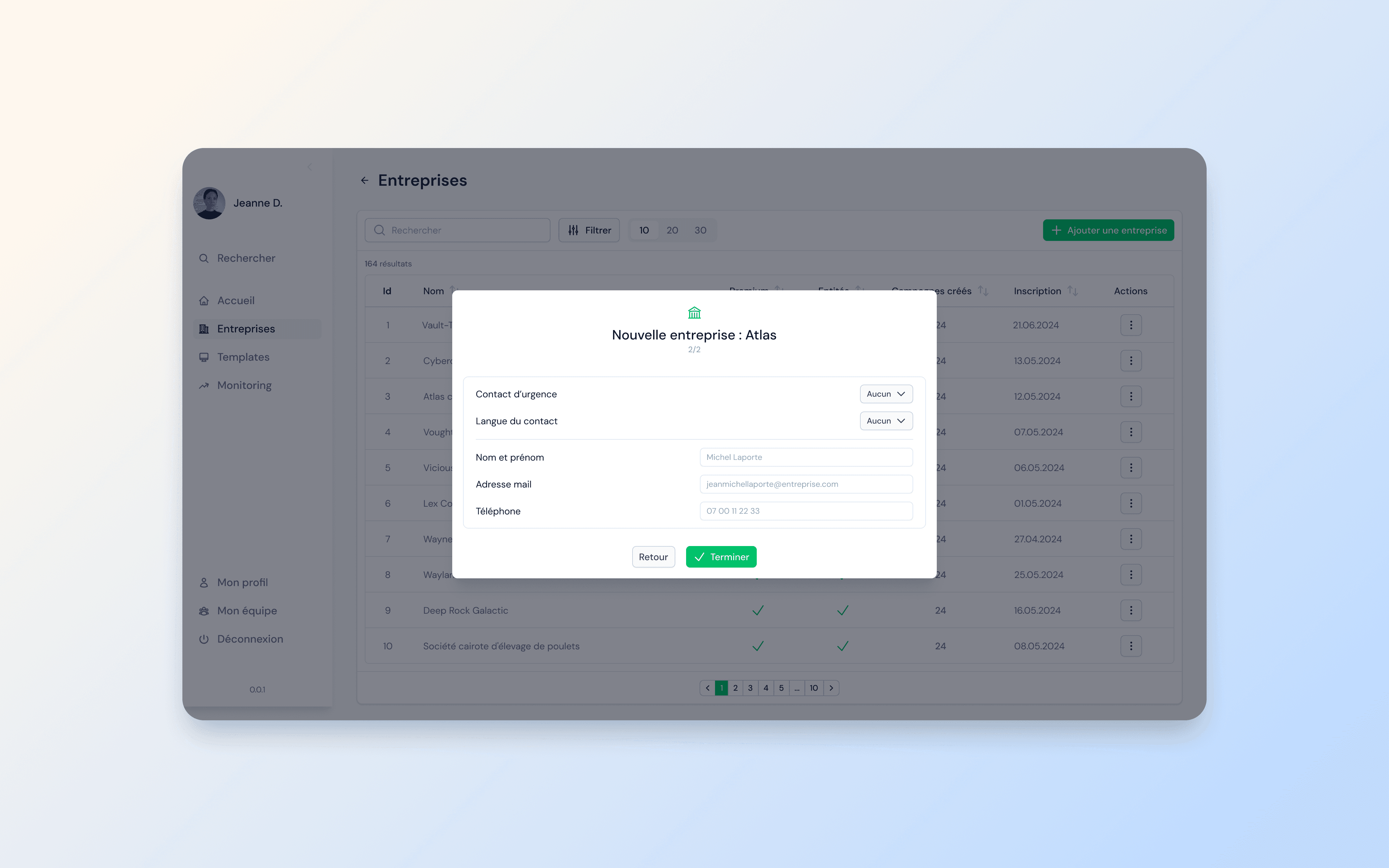
Step 2: additional configuration with contact details. Clear completion path.
Team management and permissions
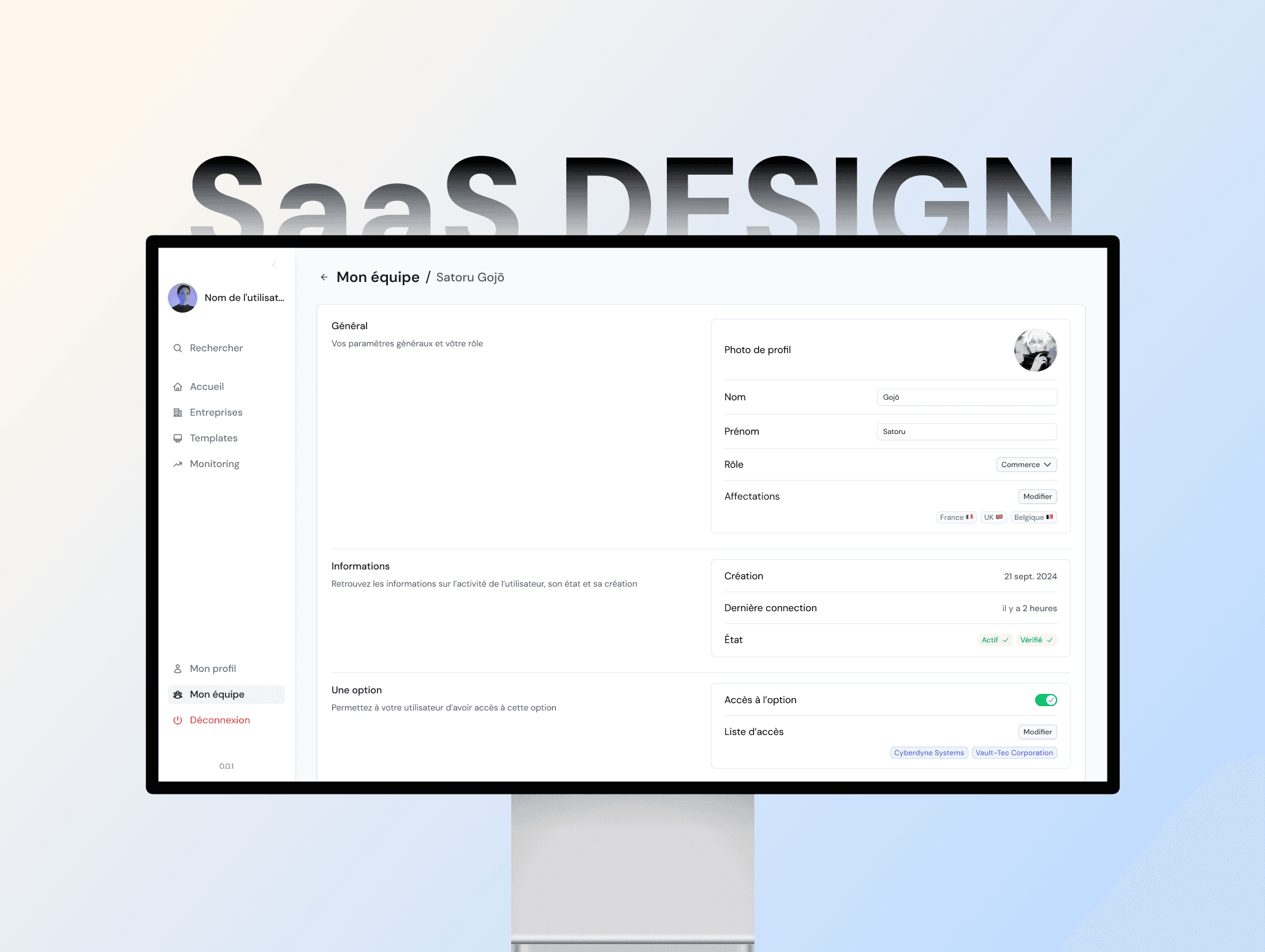
The permissions system was completely redesigned to bring more flexibility. I designed a team management section where admins can create users, assign roles with country-level scope, and control access to specific options. Each user profile page consolidates all settings, activity information, and access rights in one place.
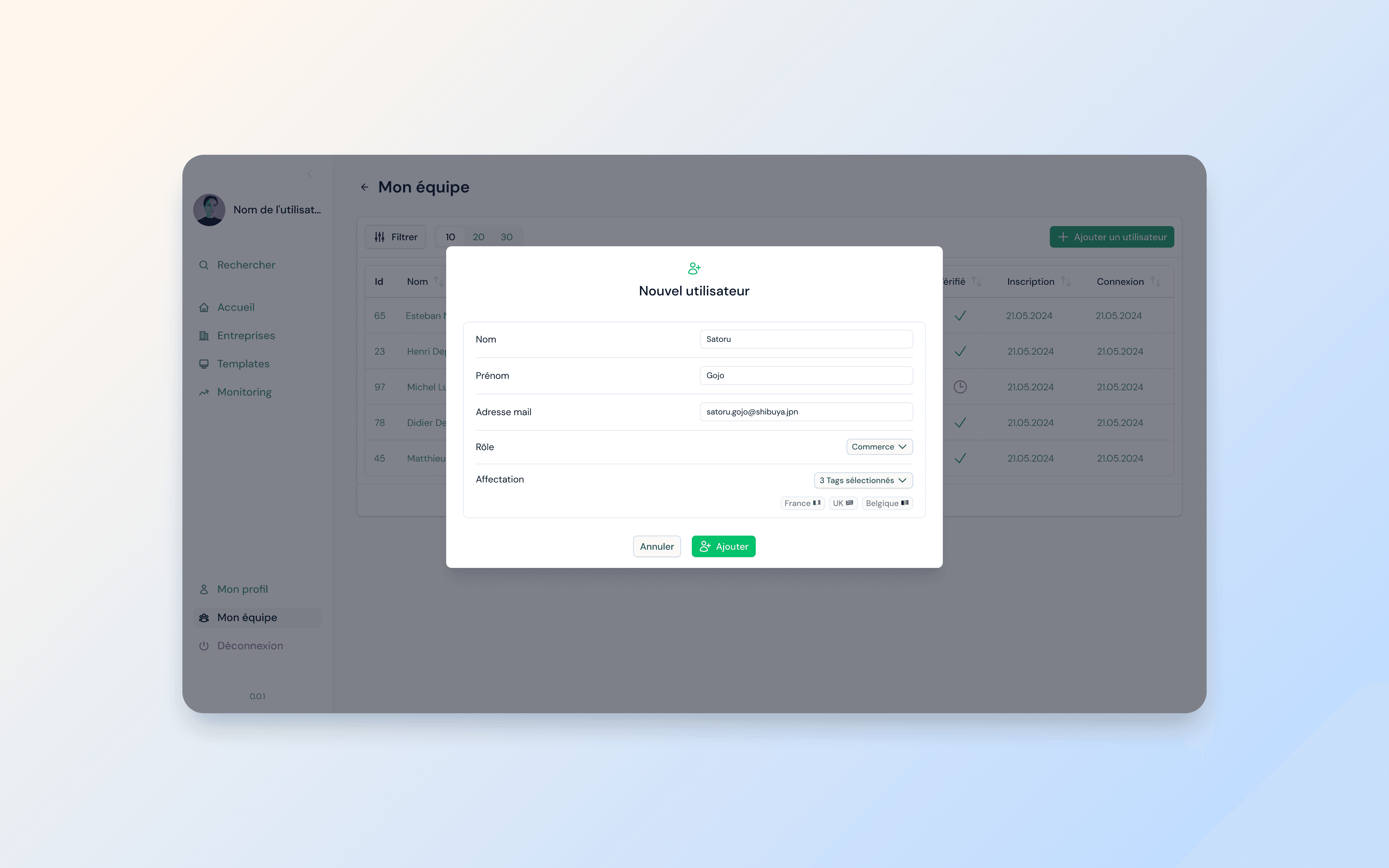
Team management: user list with creation modal. Role assignment and multi-country scope.
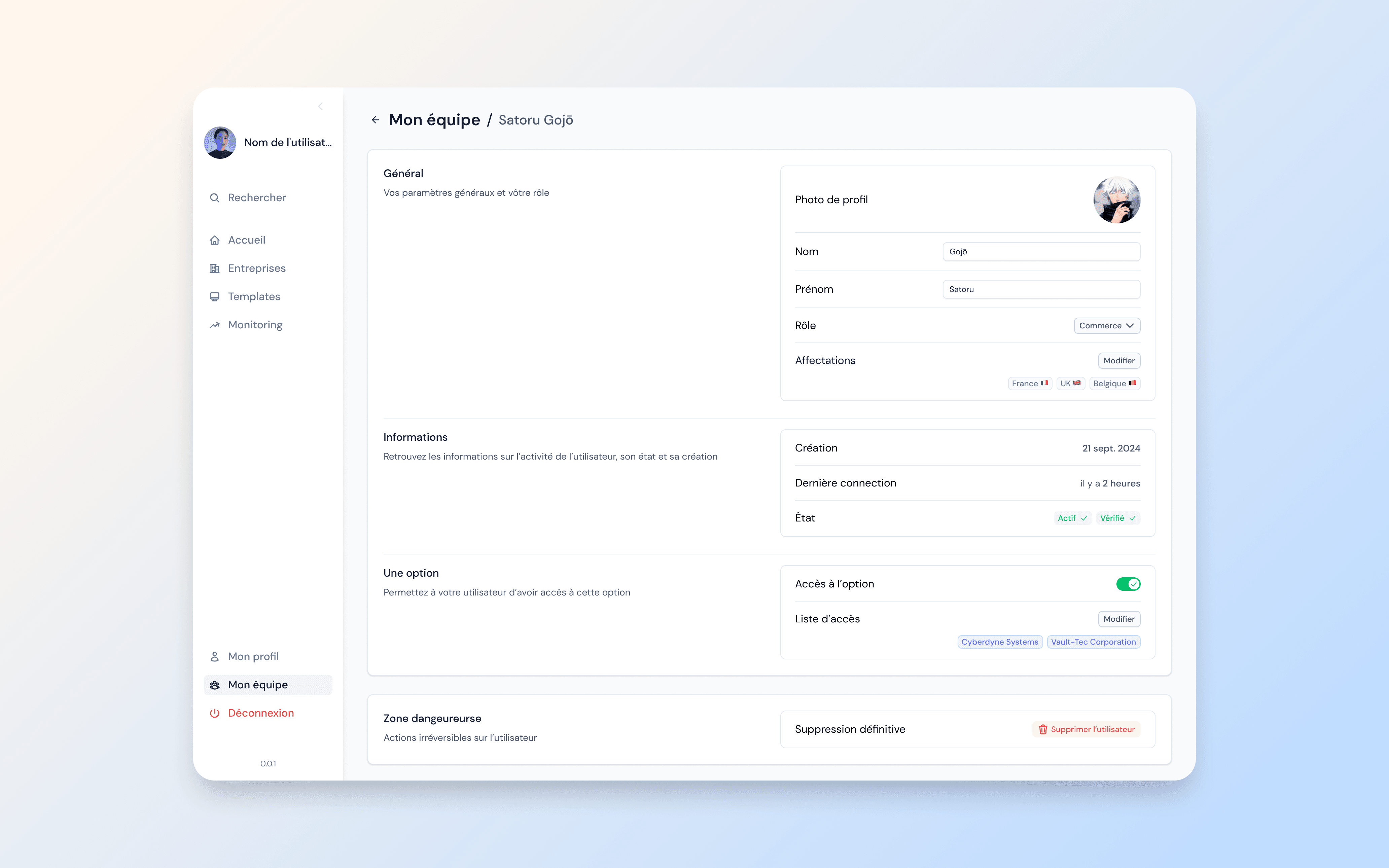
User profile: general settings, activity info, option access, and danger zone. Everything in one place.
In-app changelog
We introduced a new section for product updates, directly inside the admin. Users can create, schedule, and publish announcements with a rich text editor, image or video attachments, and a scheduling calendar with time selection.
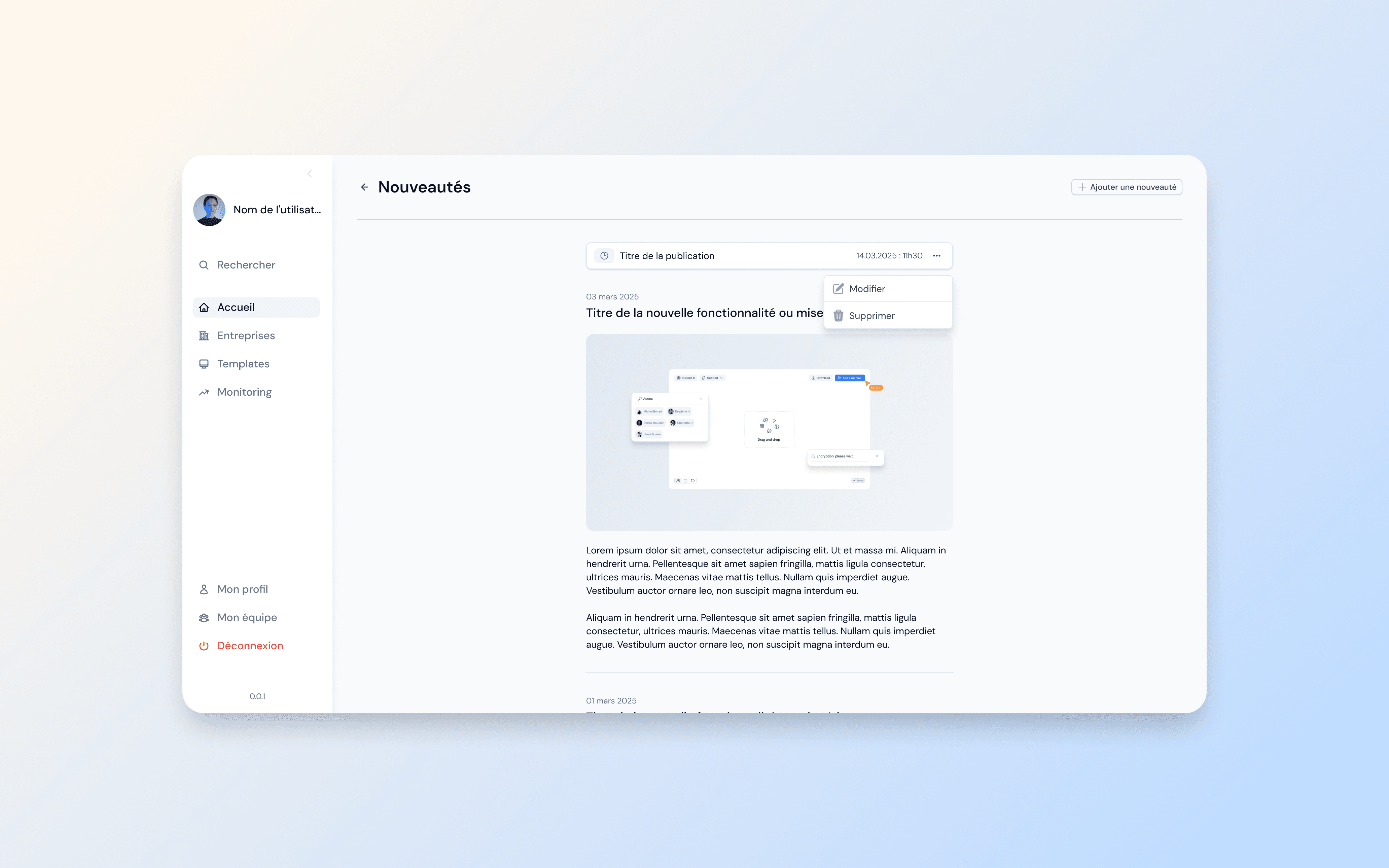
Changelog feed: published and scheduled updates with edit and delete actions.
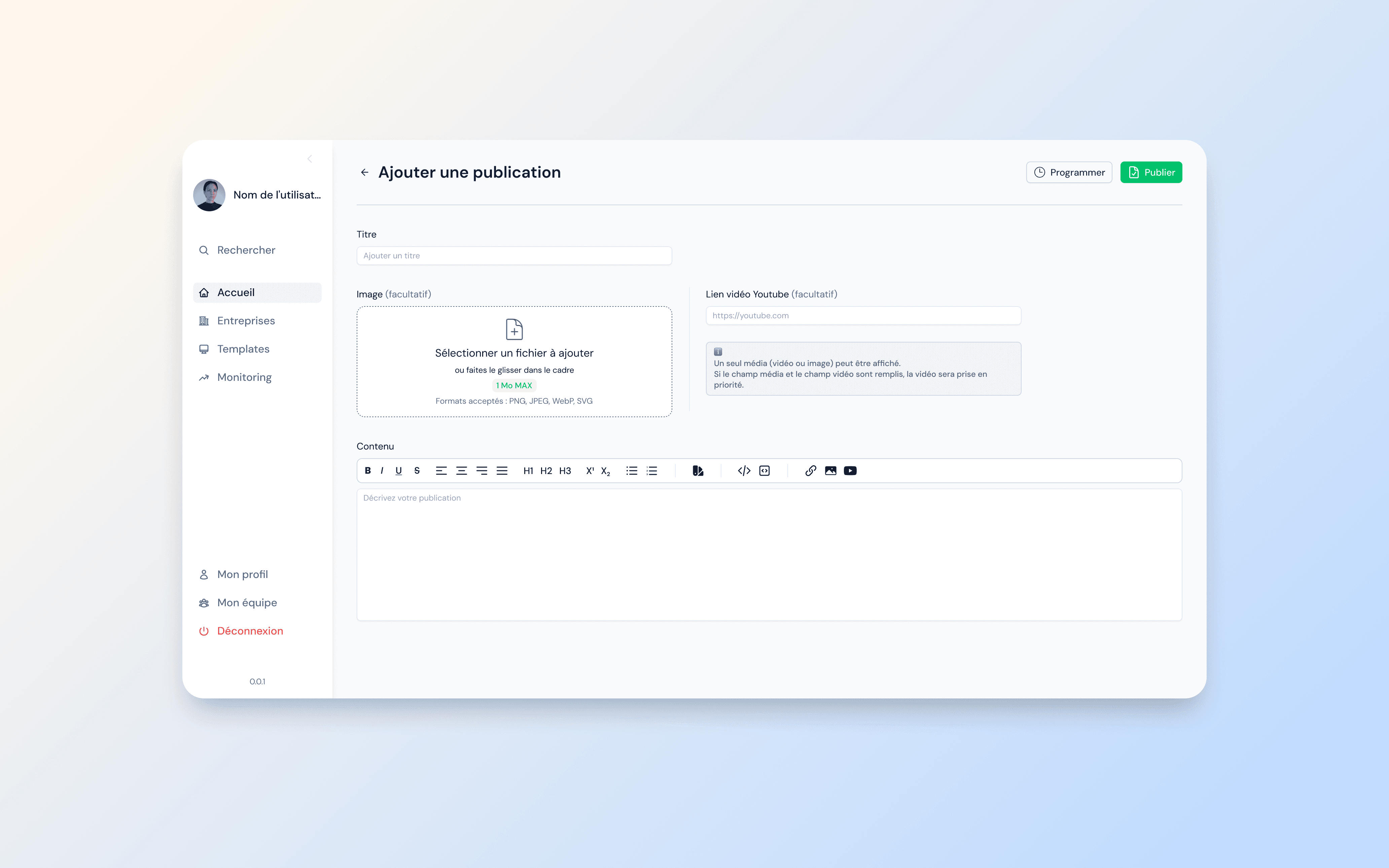
Publication editor: title, media upload, YouTube embed, and rich text content.
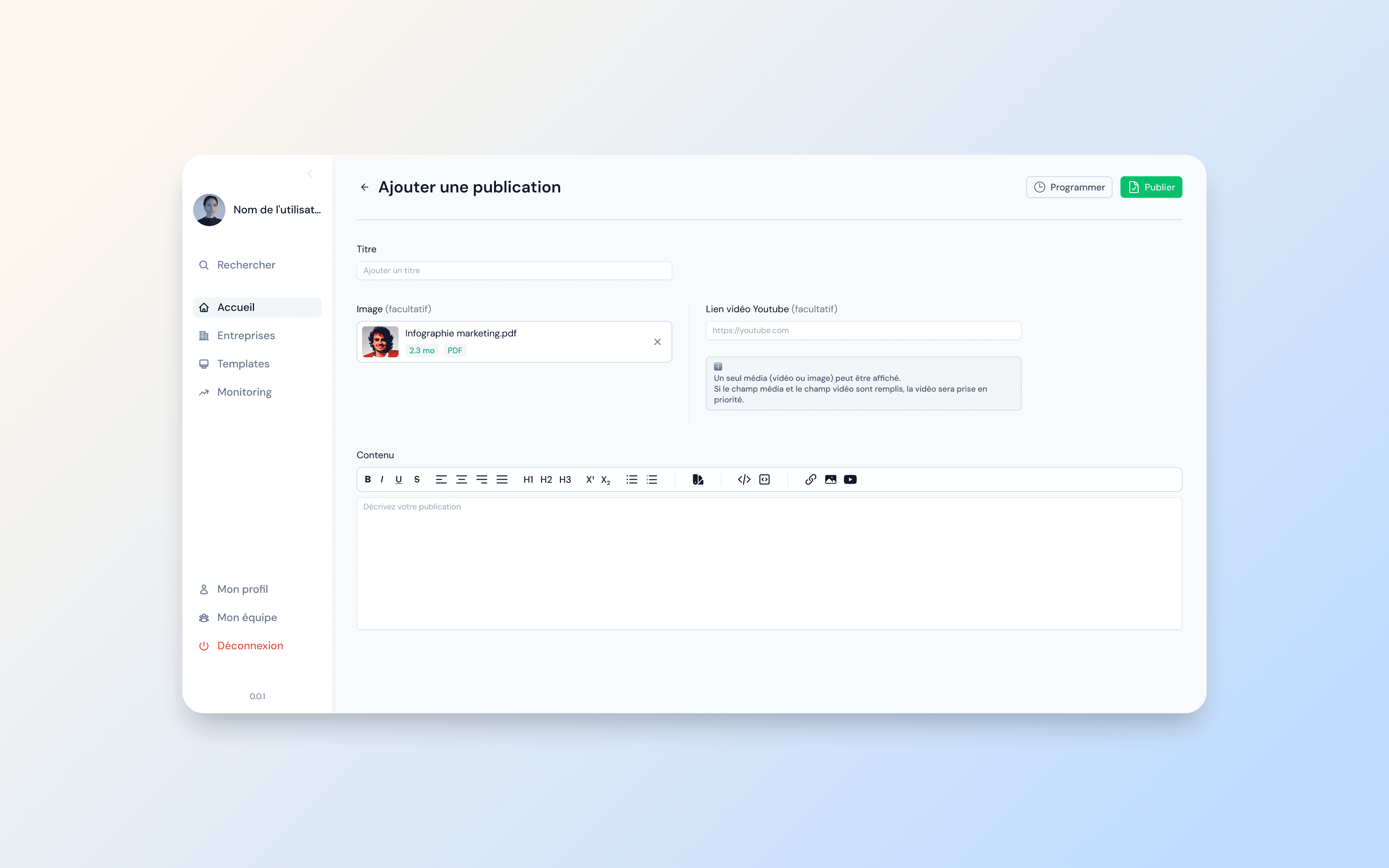
Publication with attached media, ready to publish or schedule.
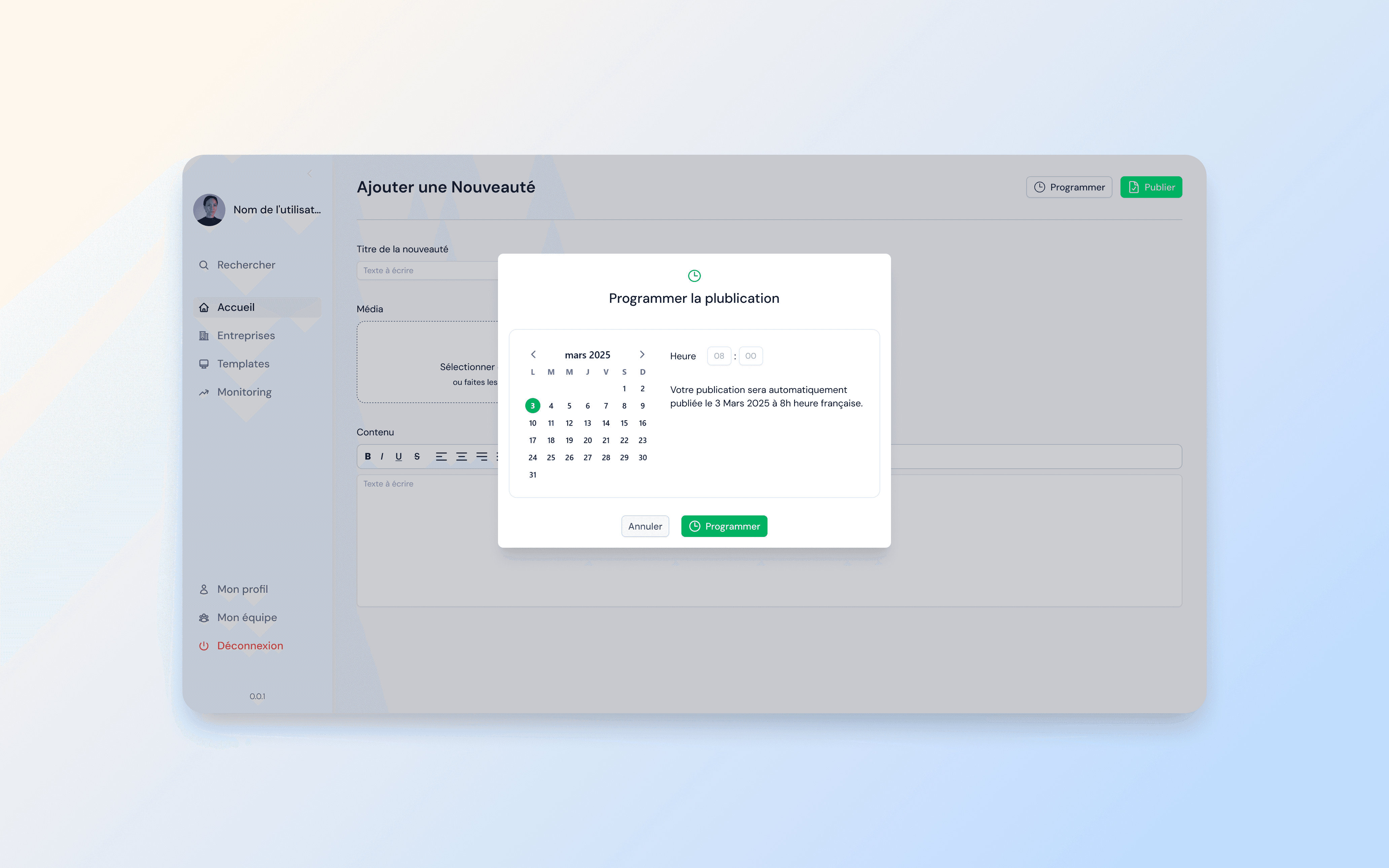
Scheduling modal: date picker with time selection and automatic publication confirmation.
Template configuration
The admin also handles email template management for automated communications. I designed a configuration page with multi-language support, dynamic variables, and a full rich text editor, giving CSMs precise control over client-facing emails.
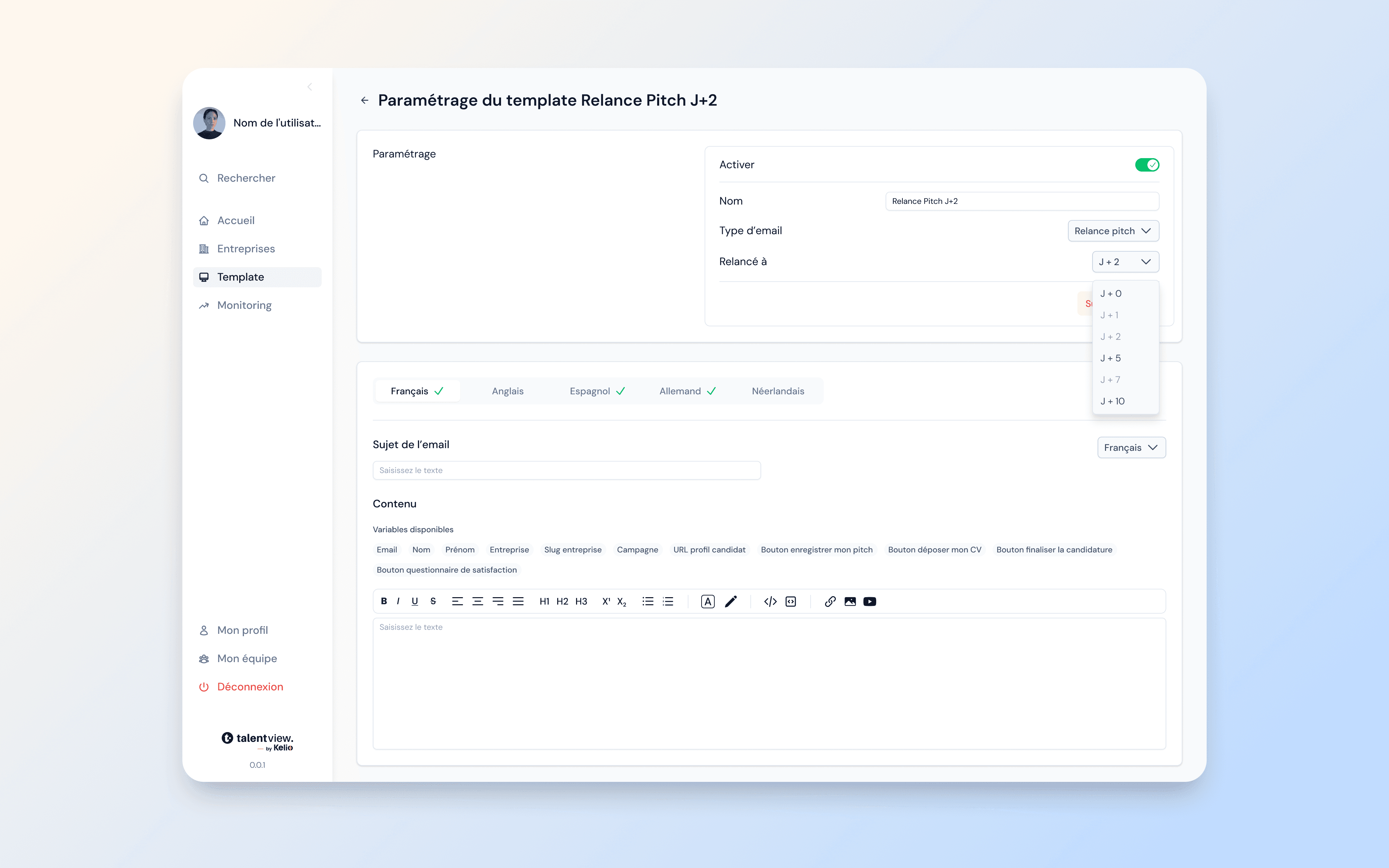
Email template editor: multi-language tabs, dynamic variables, scheduling rules, and rich text formatting.
Design system components
To ensure consistency across 100+ pages and enable faster collaboration with developers, I built a complete design system in Figma, mirroring the Nuxt component library used in production. From modals to rich text editors, every component was designed once and reused everywhere.
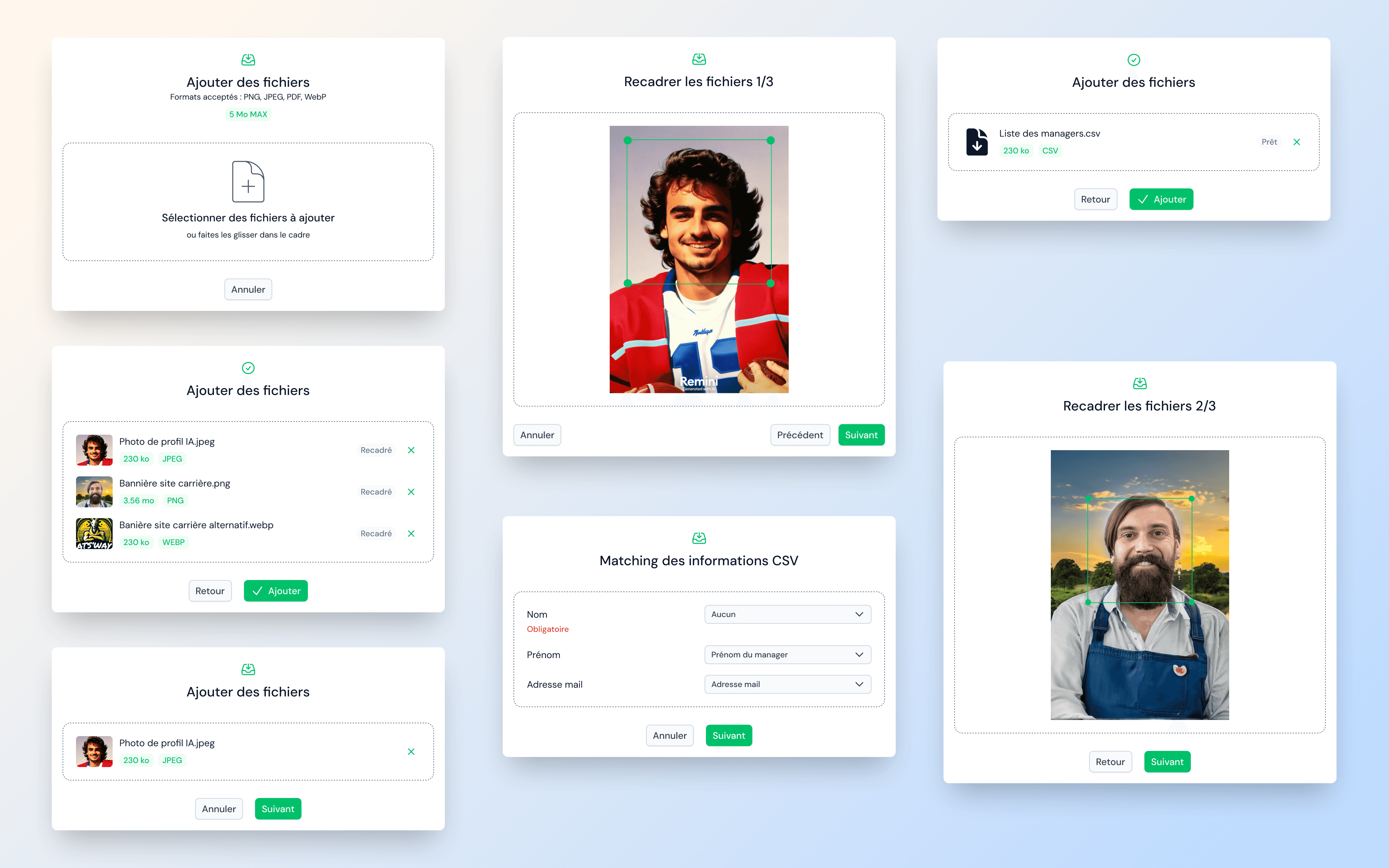
Modal system: file upload, image cropping, CSV field matching, and completion states. One pattern, multiple use cases.
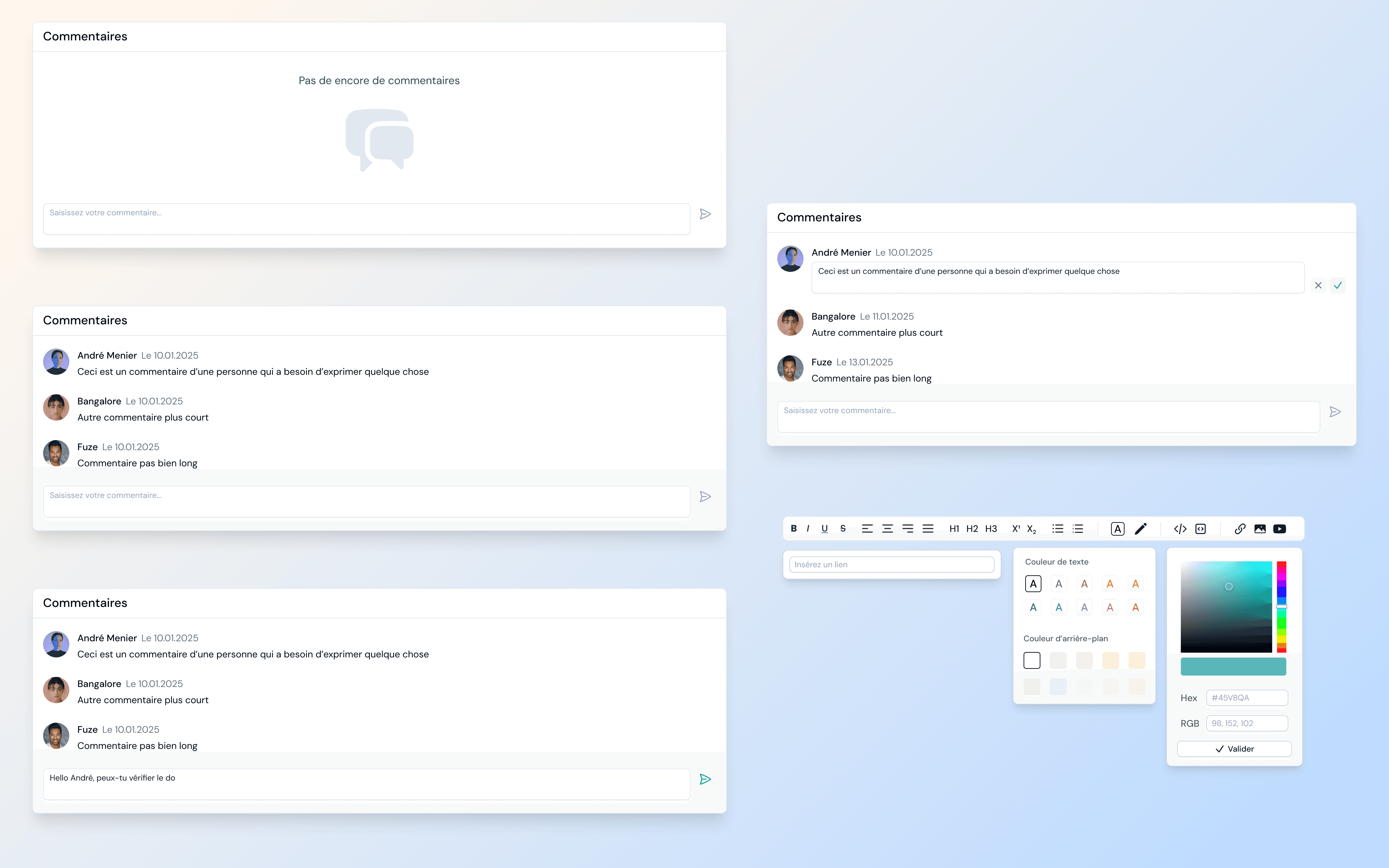
Comment system and rich text editor: empty state, threaded comments, editing mode, and full formatting toolbar with color picker.
Adapting to constraints
After several team departures during the project, the scope had to be significantly reduced. All new features were deprioritized and the team focused on delivering a feature-equivalent version with the new design and architecture. This meant making hard prioritization calls while ensuring the shipped product still felt like a major upgrade.
Outcome
The lite version is now in production. Customer success managers have responded very positively, highlighting how much cleaner and better organized the new admin is compared to the previous version.
More importantly, the design system and layout foundations built during this project are now ready to support the next phase: the full redesign of the client-facing product. This project didn't just fix an internal tool. It laid the groundwork for the product's future.